

Many project managers and PMO leads know the feeling well: status reports that eat up entire mornings, approval queues that stall delivery, and spreadsheets that never quite reflect reality. Manual PMO work doesn't just consume time; it introduces risk, delays decisions, and frustrates capable teams. Manual tasks slow decision-making and increase exposure to governance failures. This guide walks you through a practical, evidence-backed approach to automating your PMO, from assessing what needs to change, to selecting the right tools, executing the rollout, and measuring lasting improvement.
Table of Contents
- Assessing your current PMO processes
- Choosing the right automation tools and technologies
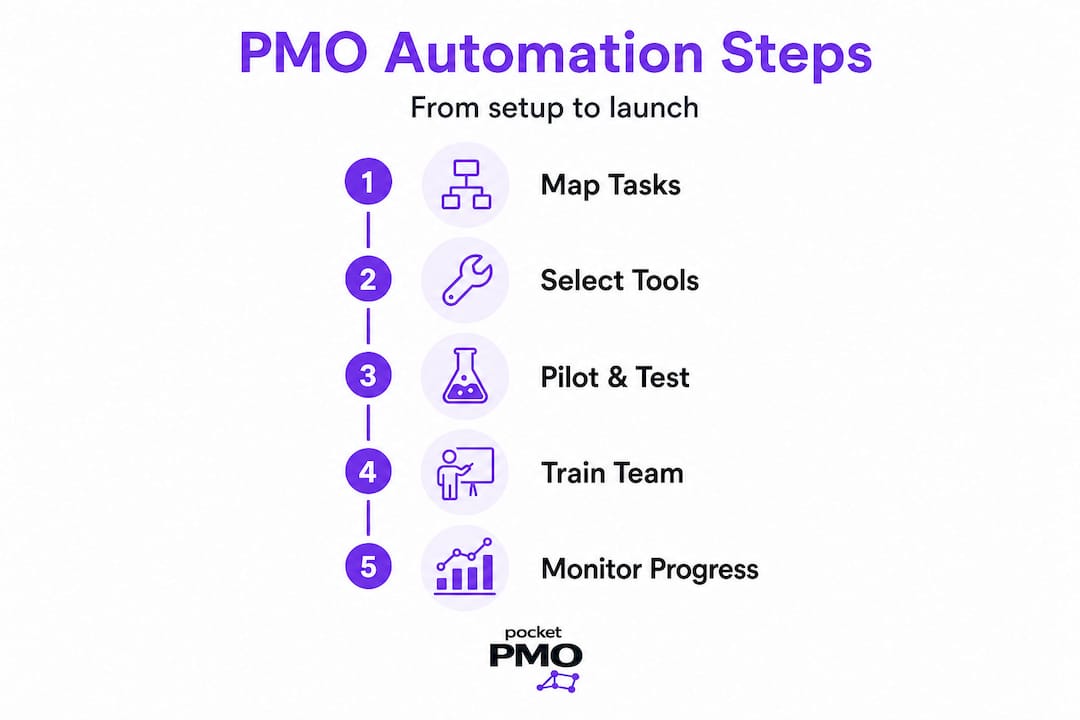
- Step-by-step PMO automation: From setup to launch
- Verifying success and continuous improvement
- Rethinking PMO automation: Lessons from real-world transformation
- Enhance your PMO with Pocket PMO AI solutions
- Frequently asked questions
Key Takeaways
| Point | Details |
|---|---|
| Identify manual bottlenecks | Spot repetitive tasks and inefficiencies in your PMO to target for automation. |
| Select AI-driven tools | Choose automation solutions that integrate well and deliver practical benefits for project management. |
| Follow structured rollout | Implement automation step by step, with training and troubleshooting measures in place. |
| Measure and improve | Track automation metrics and regularly refine processes for ongoing PMO optimisation. |
| Prioritise change management | Prepare your team and culture for automation to realise long-term benefits beyond technology alone. |
Assessing your current PMO processes
Understanding where you stand today is the foundation of any successful automation effort. Before you invest in tools or redesign workflows, you need a clear, honest view of what your PMO actually does day to day and where the friction lies.
Start by listing every recurring task your team performs manually. You will likely find a pattern: a significant portion of PMO time goes to activities that are repetitive, rule-based, and largely data-driven. These are precisely the tasks that respond best to automation.
Common manual tasks that slow PMOs down:
- Weekly and monthly status report compilation
- Tracking project milestones and updating Gantt charts
- Logging and prioritising risks and issues in RAID registers
- Routing change requests for approval
- Aggregating resource utilisation data across projects
- Chasing project managers for updates and timely inputs
- Producing portfolio-level dashboards from multiple sources
Each of these tasks follows a predictable structure. That predictability is what makes them automatable. However, the real cost isn't just time; it's the PMO impact on operations that suffers when decisions are delayed because data is stale or incomplete.
Benchmarking your PMO efficiency: Key indicators
| Indicator | Manual PMO (typical) | Automated PMO (target) |
|---|---|---|
| Status report prep time | 4 to 8 hours per week | Under 30 minutes |
| Change request approval cycle | 5 to 10 days | 1 to 2 days |
| Risk register update frequency | Fortnightly | Real-time |
| Reporting accuracy | Moderate (human error prone) | High (data-driven) |
| Portfolio visibility | Fragmented | Consolidated, live |
Once you've mapped your tasks, score each one against three criteria: frequency, complexity, and data dependency. High-frequency, low-complexity tasks with clear data inputs are your prime automation candidates. Complex tasks involving judgement, stakeholder relationships, or creative problem-solving should stay with your team, supported by better data rather than replaced outright.
A practical technique is to run a two-week time audit. Ask each PMO team member to log what they work on in 30-minute blocks. This produces hard evidence of where effort is concentrated and where bottlenecks form. Many teams are surprised to find that 40 to 60 per cent of PMO time is spent on activities that generate no direct project value.
Choosing the right automation tools and technologies
Once pain points are mapped, the next step is selecting the best-fit technology to address them. The PMO tool market is crowded, and not every platform that claims AI capability is genuinely intelligent. Knowing what to look for will save you considerable time and budget.

AI and smart reporting can fundamentally transform PMO outcomes, but only when the tools you select match your operational context. A platform built for enterprise-scale delivery teams may overwhelm a 15-person PMO in a mid-sized organisation. Conversely, lightweight task tools lack the governance depth that serious PMO work demands.
Key criteria for evaluating PMO automation tools:
- AI-driven risk analysis: Can the system flag risks proactively, not just record ones you enter manually?
- Automated reporting: Does it generate status reports and dashboards without manual data gathering?
- Workflow automation: Can approvals, escalations, and notifications trigger automatically based on defined rules?
- Integration capability: Does it connect cleanly with your existing systems, such as finance platforms, HR tools, and communication apps?
- Portfolio visibility: Can you see across all projects simultaneously without toggling between separate views?
- Scalability: Will it support your organisation as the number of projects and users grows?
Comparing PMO automation features
| Feature | Basic task tools | Mid-tier PMO platforms | AI-powered PMO solutions |
|---|---|---|---|
| Automated reporting | Limited | Partial | Full, real-time |
| Risk intelligence | None | Manual logging | Predictive AI analysis |
| Change request workflows | Ad hoc | Template-based | Automated routing and audit trail |
| Portfolio dashboards | Single project | Multi-project | Live, cross-portfolio |
| Integration depth | Basic | Moderate | Extensive APIs |
When exploring optimising AI project management for your context, pay particular attention to how a platform handles governance. Audit trails, approval records, and escalation logs aren't glamorous, but they are critical when you need to demonstrate accountability to senior stakeholders or during project reviews.
Pro Tip: Before signing any contract, request a structured pilot using one of your live projects. A genuine AI-powered tool should surface insights within days, not weeks. If the platform requires months of configuration before it adds value, treat that as a warning sign.
Change management considerations matter here too. Involving your team in the tool selection process reduces resistance later. Staff who feel heard during selection are far more likely to adopt new systems with enthusiasm. For guidance on this, the change management for PMOs approach is worth reviewing before you finalise your shortlist.
Step-by-step PMO automation: From setup to launch
After choosing your tools, it's time to automate methodically. Rushing this phase is the single most common reason automation projects fail. A structured, phased approach protects your team, your governance obligations, and your project data.
The seven-step PMO automation rollout:
-
Define your automation scope. Document exactly which tasks will be automated in the first phase. Be specific: "weekly RAG status reporting for all active projects" is a clear scope; "improve reporting" is not.
-
Map current data sources. Identify where your project data lives today. Finance data, resource data, schedule data, and risk data may sit in different systems. Your automation layer needs clean, reliable inputs to produce accurate outputs.
-
Configure your workflows. Set up automation rules for each targeted task. This includes defining triggers (what starts the automation), actions (what happens), and conditions (any logic or exceptions that apply).
-
Migrate and validate data. Move existing project data into the new platform and run validation checks. Errors here will propagate through every automated output, so this step deserves careful attention.
-
Train your team. Run structured training sessions before go-live, not after. Focus on the tasks your team performs most frequently and ensure everyone understands how to intervene when automation flags an issue.
-
Run a parallel period. For two to four weeks, operate both your manual process and the automated system simultaneously. This lets you compare outputs, catch discrepancies, and build team confidence before cutting over fully.
-
Go live and monitor closely. Once you cut over, monitor outputs daily for the first month. Track error rates, adoption levels, and any process gaps that surface.
"Structured automation leads to improved project delivery and governance when organisations invest in preparation before implementation, not as an afterthought." PMO governance and AI efficiency
Common pitfalls to avoid include automating a broken process, that is, if your current change request workflow is unclear, automating it will produce faster confusion. Fix the process logic first, then automate. Another frequent mistake is insufficient stakeholder communication. People fear job displacement when automation arrives unannounced. Transparent communication about what is changing, why, and how roles will evolve is essential.
For complex multi-project environments, consider streamlining PMO governance as a priority in your early automation phases. Governance failures in live projects carry real consequences, so this area should be automated carefully, with human review checkpoints built in.
Pro Tip: Create a simple "automation health log" that team members update daily during the first month. A quick note on what worked, what was confusing, and what produced an unexpected output creates a live troubleshooting resource and speeds up resolution of teething issues significantly.
When selecting the right AI success model for PMOs, align your chosen approach to your organisation's maturity level. A PMO that is still formalising its processes needs a different automation strategy than one with established, documented workflows.
Verifying success and continuous improvement
Once automation is live, ongoing verification and improvement are crucial for long-term success. Automation is not a set-and-forget solution. Processes evolve, projects change, and the tools you chose at launch will need tuning as your PMO matures.
Key metrics to track automation impact:
- Reporting cycle time: How long does it take to produce a complete status report? This should drop significantly within the first month.
- Error and exception rates: Track how often automated outputs require manual correction. A declining error rate confirms data integrity is improving.
- Approval turnaround time: Measure how quickly change requests and other approvals move through your workflows.
- Team time reclaimed: Survey your PMO team quarterly to quantify hours freed from manual tasks. This feeds directly into ROI analysis.
- Stakeholder satisfaction: Run brief feedback surveys with project sponsors and senior managers to assess whether the quality and timeliness of information has improved.
- Risk detection lead time: With AI-driven risk analysis, how much earlier are risks being surfaced compared to your manual process?
Ongoing monitoring is essential for automation success; without it, small process drifts become large failures over time.
Automation impact over time: What to expect
| Timeframe | Focus area | Expected outcome |
|---|---|---|
| Weeks 1 to 4 | Stabilisation | Errors identified and resolved; team adapting |
| Months 2 to 3 | Optimisation | Workflows refined; reporting accuracy improving |
| Months 4 to 6 | Expansion | Additional task categories automated |
| 6 months onwards | Strategic value | AI insights informing portfolio decisions |
Build a regular review cadence into your PMO calendar. A monthly automation review, attended by the PMO lead and at least one representative from your project delivery teams, ensures that issues are caught early and that improvements are implemented systematically.
Use the AI and reporting insights generated by your platform to identify patterns across projects. Where do delays consistently occur? Which risk categories appear most frequently? These patterns inform not just process improvement but also strategic planning for future portfolio investments.
For ongoing refinement, the AI best practices for PMO framework offers a structured approach to iterative improvement, ensuring your automation investment continues to deliver value as your portfolio grows.
Rethinking PMO automation: Lessons from real-world transformation
Here is something that most automation guides won't tell you: the technology is almost never the hard part.
We've seen mid-sized organisations invest in capable, well-configured AI platforms and still struggle to realise meaningful benefits twelve months later. The reason is almost always the same. The team adopted the tool but kept the old habits. Reports still got compiled manually "just to check." Risk registers still got updated in spreadsheets "because it's easier." The automation ran in parallel with the manual process indefinitely, doubling the workload rather than eliminating it.
Genuine PMO transformation requires a mindset shift, not just a software rollout. Leadership must actively model the change. When a PMO director trusts the automated dashboard in a steering committee meeting rather than pulling up a spreadsheet, that sends a powerful signal to the entire organisation.
The contrarian truth about automation is this: your first instinct will be to automate everything at once. Resist it. The PMOs that succeed long-term start narrow, prove value quickly, and expand from a position of demonstrated confidence. Trying to automate every process simultaneously creates too much change, too many variables, and too little time to learn what is actually working.
Culture and strategic PMO change management are the real differentiators between organisations that transform and those that simply acquire new tools. Automation amplifies what already exists. If your PMO culture values rigour, accountability, and continuous learning, automation will accelerate those qualities. If it values workarounds and informal processes, automation will expose and entrench them.
Invest as much in your people as in your platform. Training, communication, and leadership alignment are not optional extras. They are what determines whether the technology you have chosen actually changes how your organisation delivers projects.
Enhance your PMO with Pocket PMO AI solutions
Everything covered in this guide, from process assessment to continuous improvement, is built into the Pocket PMO platform from day one. You don't need to build a PMO infrastructure from scratch or stitch together multiple tools to get started.
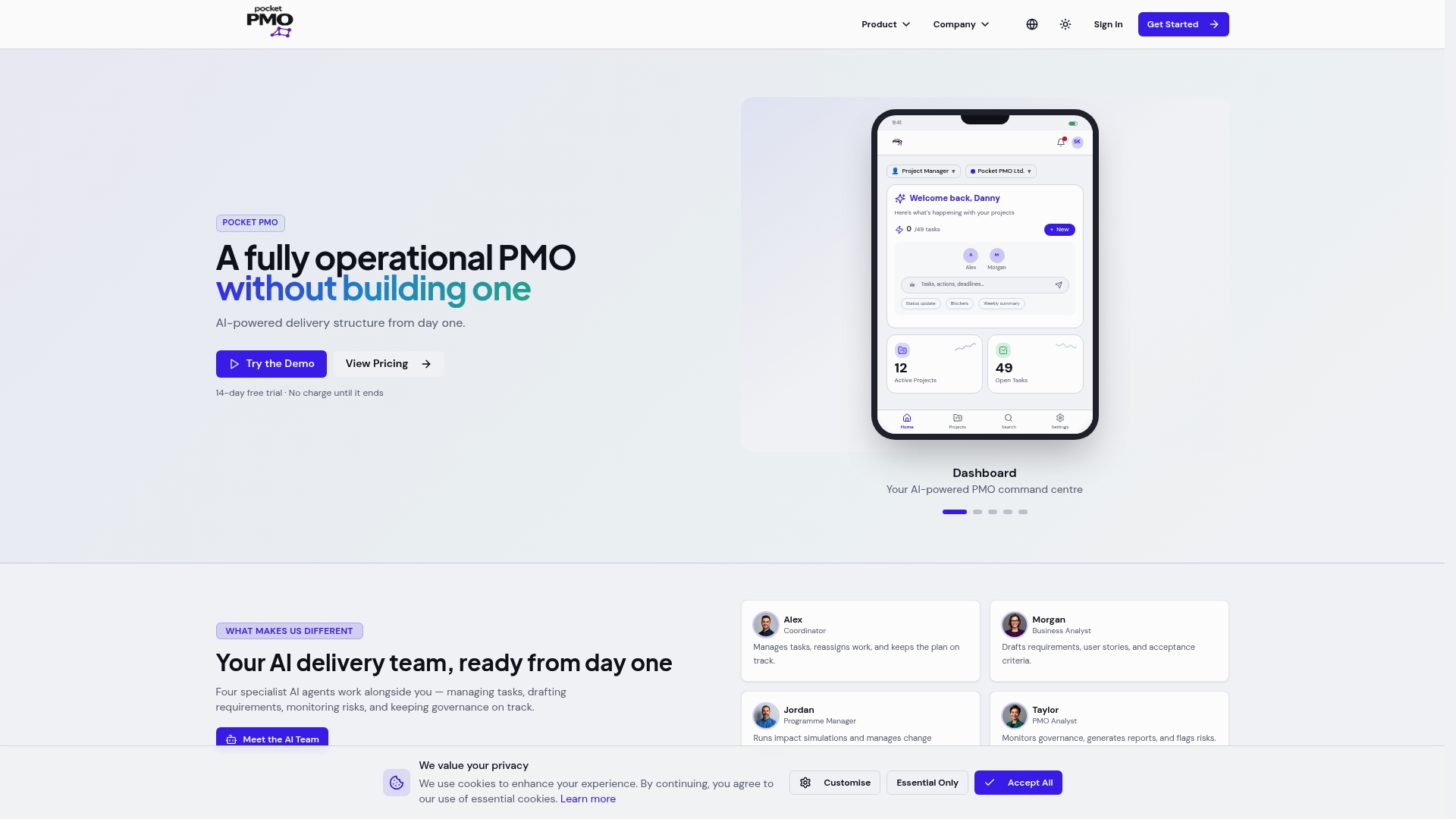
Pocket PMO delivers an AI-powered PMO solution with real-time dashboards, intelligent automation, predictive risk analysis, and portfolio management out of the box. You can launch your PMO quickly, without months of configuration. If you're evaluating your options, see how Pocket PMO compares to leading alternatives, including Pocket PMO vs Monday.com and Pocket PMO vs Asana, to understand exactly what an AI-first approach delivers beyond standard task management. Start automating your PMO with a platform that is purpose-built for the work you actually do.
Frequently asked questions
What PMO tasks can be automated with AI solutions?
Common tasks include project tracking, status reporting, document approvals, risk logging, and resource management, all of which benefit directly from intelligent automation that reduces manual effort and improves accuracy.
How do I measure the success of PMO automation?
Monitor metrics such as reporting cycle time, approval turnaround, error rates, and team satisfaction; regular operational reviews ensure the automation continues to improve rather than drift over time.
What is the biggest challenge when automating PMO tasks?
Change management and user adoption consistently prove harder than the technical setup, requiring clear communication, structured training, and leadership commitment to drive governance improvements through to daily practice.
Can automation replace the PMO completely?
No. Automation is a powerful enhancer, but governance, stakeholder relationships, strategic decision-making, and complex risk judgements still require skilled PMO leadership that no platform can substitute.