

Imagine your project is two weeks from go-live. The sponsor asks for a status update, and three people give three different answers. Nobody is lying. They are simply pulling from different sources: a chat thread here, a spreadsheet there, an email buried in someone's inbox. This is the reality for many project managers, and it costs teams weeks of rework, missed escalations, and eroded stakeholder trust. Reliable project status tracking is not a nice-to-have. It is the operational foundation that keeps every decision grounded in fact rather than assumption.
Table of Contents
- What you need before tracking project status
- Step-by-step: how to track project status effectively
- Common pitfalls and how to avoid stagnant trackers
- Turning project data into real-time insights and actions
- A fresh perspective: what project status tracking usually gets wrong
- How Pocket PMO can streamline your project status tracking
- Frequently asked questions
Key Takeaways
| Point | Details |
|---|---|
| Centralisation is critical | A centralised dashboard makes status tracking faster, more accurate, and actionable. |
| Objectivity matters | Quantitative metrics like EVM reduce bias and clarify true progress and risks. |
| Reduce update friction | Automation and clear handoff routines ensure status trackers stay up to date. |
| Real-time data enables action | Live dashboards support earlier risk detection and more responsive project management. |
What you need before tracking project status
Once you recognise the need for reliable project status, the next step is lining up the right tools and setting expectations across your team. Without the right infrastructure, even the most disciplined tracking habits will break down quickly.
The single biggest structural problem most teams face is fragmentation. Status lives in Slack, in email, in a Jira board, in someone's personal notebook. Real-time project reporting only becomes possible when you consolidate those streams into a single, queryable location. Research confirms that dashboarding and KPI-based aggregation is the most effective approach for real-time visibility, especially when projects span multiple platforms such as PM tools, ERP systems, and collaboration suites.
Core tools comparison
| Tool category | Purpose | Example platforms |
|---|---|---|
| Project management platform | Task tracking, Gantt charts, dependencies | Jira, Pocket PMO, MS Project |
| Centralised dashboard | Aggregated KPIs, portfolio view | Power BI, Pocket PMO dashboards |
| Collaboration tool | Updates, decisions, blockers | Teams, Slack, Confluence |
| Data integration layer | Pull from multiple sources into one view | Zapier, native API connectors |
Before you begin tracking, assign clear ownership across three core roles:
- Status owner: The person responsible for updating the tracker after each reporting cycle
- Reviewer: A senior PM or PMO lead who validates and escalates items
- Data custodian: Accountable for maintaining integrations and ensuring data quality
Without named owners, updates become voluntary. Voluntary updates become inconsistent. Inconsistency is exactly what erodes confidence in your status data. To properly monitor project health, these roles need to be documented and understood by the whole team from day one.
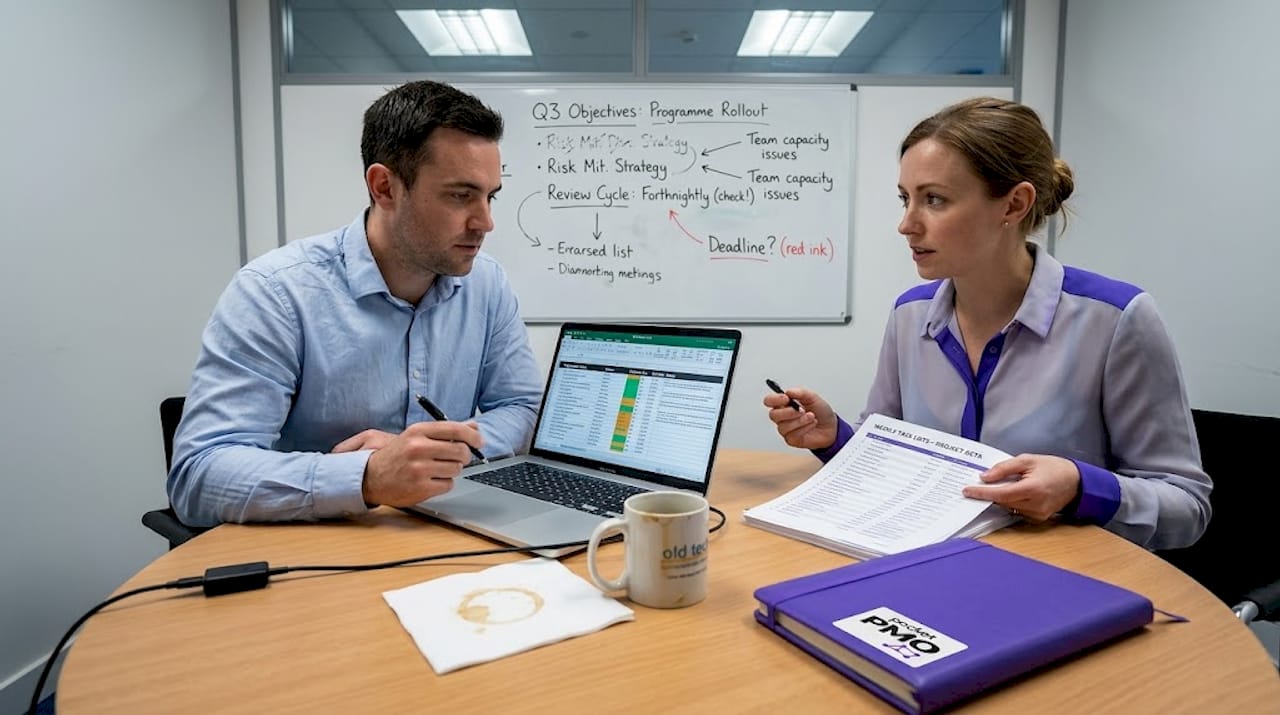
Access to live data streams is equally critical. Static exports from project tools age quickly. By the time a spreadsheet reaches a steering group, it may already be 48 hours out of date. Prioritise tools that offer API connections or native integrations so your dashboards refresh without manual intervention.
Step-by-step: how to track project status effectively
With tools and responsibilities set, you are ready to follow an effective process for gathering and updating project status. This is not about creating paperwork. It is about building a rhythm that keeps everyone calibrated.
- Define your key metrics upfront. Decide what you will track before the project starts. Common metrics include schedule variance, budget burn rate, open risks, and milestone completion rate. The more specific your definitions, the less room there is for subjective interpretation later.
- Set your reporting cadence. Weekly is standard for most projects, but high-velocity programmes may need daily stand-up dashboards. Agree the cadence in writing and stick to it.
- Update status at source. Encourage team leads to update tasks within the project tool itself, not in a separate spreadsheet. This eliminates the double-entry problem and keeps data current.
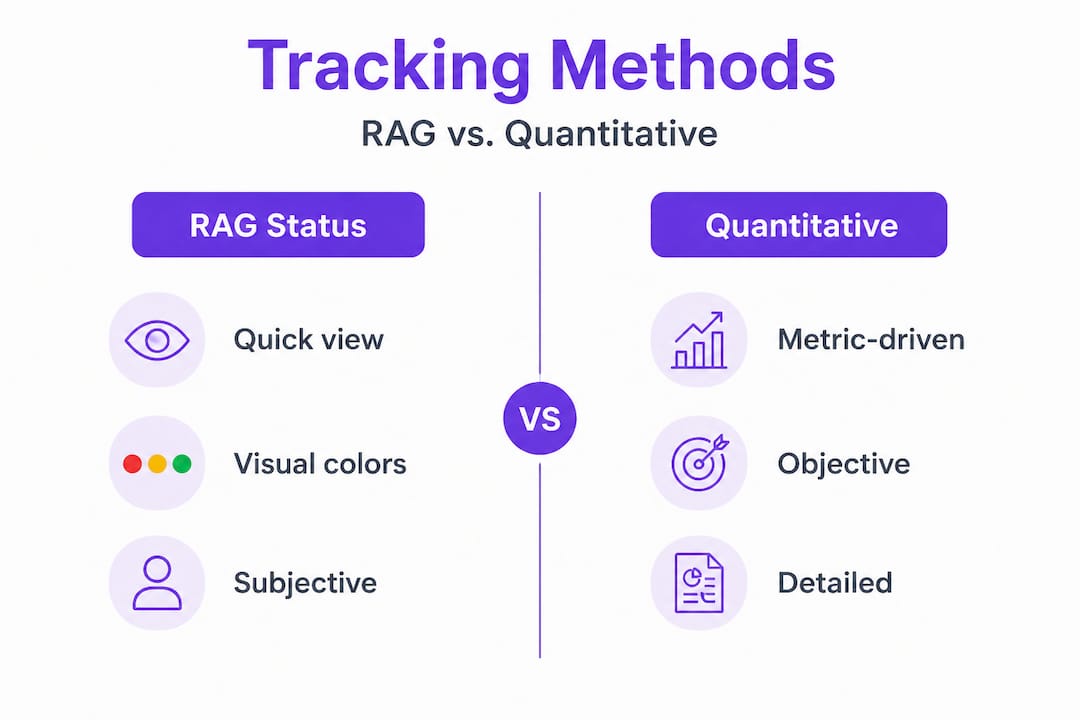
- Apply a structured status method. Choose between RAG traffic light reporting and quantitative methods. The comparison below shows where each approach excels.
- Review trends, not just snapshots. A project that has been amber for three consecutive weeks is in a fundamentally different position to one that moved from red to amber this week. Trend data tells that story.
- Escalate based on agreed thresholds. If cost performance index drops below 0.85, that should trigger an automatic review. Pre-agree these thresholds so action is objective, not reactive.
- Archive each status cycle. Keeping a history of status updates enables post-project analysis and supports lessons-learned sessions with real data.
RAG vs. quantitative tracking methods
| Method | Strengths | Weaknesses | Best used when |
|---|---|---|---|
| RAG traffic light | Fast, visual, easy to understand | Subjective, can be gamed | Stakeholder briefings, executive summaries |
| EVM (Earned Value Management) | Objective, predictive, quantifiable | Requires accurate baseline | Complex or high-value projects |
| Progress percentage | Simple to communicate | Can mislead without context | Short task-level tracking |
| Milestone tracking | Clear delivery focus | Misses intra-milestone issues | Programme-level oversight |
For objective progress and forecast control, EVM provides foundational metrics including planned value, earned value, and actual cost, which together produce schedule performance index (SPI) and cost performance index (CPI). These figures remove gut feeling from status conversations entirely.
Using customisable reporting templates accelerates this process. Templates pre-populate your required fields, reduce the burden on status owners, and enforce consistency across projects. Pair them with AI project tracking strategies to automate data pulls and surface anomalies without manual analysis.
Pro Tip: Agree action thresholds before the project begins. Define what an amber status means in measurable terms, for example, a 5% schedule slip or two open risks above a defined severity rating. When thresholds are explicit, status reporting becomes a trigger for action rather than a vehicle for narrative spin.
One risk many teams overlook is the danger of relying exclusively on retrospective updates. If your tracker only reflects what happened last week, you are always reacting. Building in forward-looking indicators, such as forecast completion dates and upcoming risk events, shifts your team from reactive to proactive.
Common pitfalls and how to avoid stagnant trackers
As you consistently update project status, it is crucial to recognise what causes trackers to fall behind and how to prevent it. Stale data is arguably more dangerous than no data at all, because it creates a false sense of control.
The most common reasons trackers drift into irrelevance include:
- Too much manual effort: If updating the tracker takes 20 minutes per person per week, people will deprioritise it when workloads spike
- Poor handoff from chat tools: Decisions made in Slack or Teams rarely make it back into the official tracker without a deliberate process
- Compliance ritual mentality: When teams view status updates as a box-ticking exercise for leadership, accuracy suffers
- Unclear ownership: If nobody is explicitly accountable for keeping the tracker current, everyone assumes someone else is doing it
- Outdated structure: A tracker built at project inception may no longer reflect the actual delivery model three months in
Research into tracker behaviour confirms that trackers go stale primarily when updates require too much effort, or when teams cannot easily transfer context from chat and conversations into the tracker. Reducing the friction of the update process is the single most effective intervention.
"When investigating a blocker, the first diagnostic question should be: when did this issue first arise, and how many status cycles passed before it appeared in the tracker? That gap reveals your actual reporting latency and highlights exactly where your process is breaking down." — PMO best practice framework
Pro Tip: Automate data capture wherever practical. If your project tool can push task completion data to your dashboard automatically, do not rely on manual input for the same information. Reserve human input for qualitative judgements that automation cannot replicate, such as stakeholder sentiment or emerging political risks.
Periodic audits are also worth scheduling. Every four to six weeks, review your tracker structure and ask whether the fields you are capturing still reflect your project's current shape. Projects evolve. Trackers that do not evolve with them become misleading artefacts rather than management tools. Applying strong AI tracking strategies can help flag when tracked metrics diverge from actual project activity, giving you an early signal that a structural review is overdue.
Turning project data into real-time insights and actions
Keeping your tracker current unlocks the highest value: transforming raw updates into decisive project action. Data collection is only the first half of the equation. Interpretation is where project managers genuinely earn their credibility.
Real-time dashboards are the bridge between raw data and meaningful insight. Data-driven monitoring research shows that dashboarding and KPI-based aggregation enables 30 to 50% earlier risk detection and 20 to 35% efficiency improvements across project portfolios. These are not marginal gains. They represent the difference between catching a schedule threat in week three versus week eight.
The types of insight that true project status reveals include:
- Overdue task clusters: Groups of related tasks slipping simultaneously often signal a shared root cause, such as a blocked dependency or a resource constraint
- Resource bottlenecks: When one team member or vendor appears across multiple at-risk items, that is a capacity problem requiring immediate attention
- Scope creep indicators: A rising count of change requests or unplanned tasks is an early warning that scope boundaries are not being enforced
- Budget burn anomalies: Spending ahead of earned value signals either poor estimation or inefficient execution, both of which need a different corrective response
- Stakeholder engagement gaps: Missed review cycles or delayed approvals show up in the timeline long before anyone explicitly raises the issue
The critical discipline here is acting on triggers rather than simply reporting them. Many project teams generate excellent status data and then do nothing different as a result. The moment a KPI crosses a pre-agreed threshold, the appropriate action should already be defined and owned. This connects directly to tracking risks proactively, ensuring that insights become interventions rather than retrospective commentary.
Real-time visibility also improves stakeholder confidence measurably. When executives can view a live dashboard rather than wait for a weekly report, their trust in project delivery increases. The reduction in ad hoc update requests alone recovers significant time for your project team.
A fresh perspective: what project status tracking usually gets wrong
Beyond the mechanics and tools, it is worth challenging some assumptions that persist across most project environments.
The most pervasive mistake is treating RAG status as an objective measure when it is almost always a subjective one. Amber means very different things to different project managers. Without codified thresholds, a confident PM rates a struggling project green while a cautious one rates a healthy project amber. Trust improves significantly when thresholds are agreed early and applied consistently across all projects in a portfolio.
The second habit worth questioning is the reliance on "percent complete" as a progress metric. A task that is 90% complete but blocked is not useful. Expert guidance on project reporting is clear that purely retrospective percent-complete reporting misses the forward-looking picture. Trend visibility, meaning whether your project's trajectory is improving or deteriorating week on week, matters far more than a single snapshot number.
There is also an uncomfortable truth about where most status data actually lives. Teams that track issues in three different tools and then manually reconcile them into a report are not managing projects. They are managing their project management system. A single centralised source of truth with a clear taxonomy and unique identifiers for each item is what makes dashboards genuinely reliable rather than decorative. Anything less creates invisible reconciliation work that quietly consumes PM time every reporting cycle.
Finally, status reporting should be a catalyst, not a ceremony. When teams treat the weekly status meeting as a performance rather than a problem-solving session, they optimise for how things look rather than how things are. The goal of tracking project status is faster, better decisions. Every process choice, from the tools you pick to the thresholds you set, should be evaluated against that standard alone. Reviewing project risk analysis pitfalls regularly reinforces this discipline across your wider PMO practice.
How Pocket PMO can streamline your project status tracking
Now that you know how to elevate your project status tracking, here is how Pocket PMO helps you put these steps into action seamlessly. The platform is built precisely to eliminate the friction points this guide has covered: scattered updates, manual data pulls, subjective status reporting, and the exhausting gap between data collection and actionable insight.
Pocket PMO's real-time dashboards aggregate data across your tools automatically, giving you the centralised visibility that effective tracking demands. AI-driven risk analysis surfaces emerging threats before they become escalations, and intelligent status reporting removes the guesswork from your RAG thresholds. You can get started immediately with a frictionless install, or launch Pocket PMO with your first project today. If you are currently using another platform, see exactly how the experience compares when you compare with Asana side by side.
Frequently asked questions
What is the most reliable metric for tracking project status?
EVM foundational metrics such as schedule performance index and cost performance index provide the most objective and predictive assessment of project status, removing subjective interpretation from status conversations.
How can I keep project trackers from going stale?
Reduce update friction by automating data capture from your project tools, and establish a clear process for moving blockers and decisions from chat conversations into the official tracker. Trackers go stale when the effort to update them outweighs the perceived benefit.
Do real-time dashboards really improve project outcomes?
Yes. Dashboards aggregating data from multiple project sources enable 30 to 50% earlier risk detection and 20 to 35% efficiency improvements, making them one of the highest-impact investments a PMO can make.
When should a project manager act on status updates?
Action should be triggered by pre-agreed thresholds in key metrics, not by a colour change alone. Trust improves when your team knows exactly what an amber or red rating means in measurable terms before the project even begins.
Why is a single source of truth important for tracking?
A centralised tracker with consistent taxonomy and unique item identifiers prevents data discrepancies between tools and ensures that your dashboards reflect reality rather than an averaged or outdated version of it.