

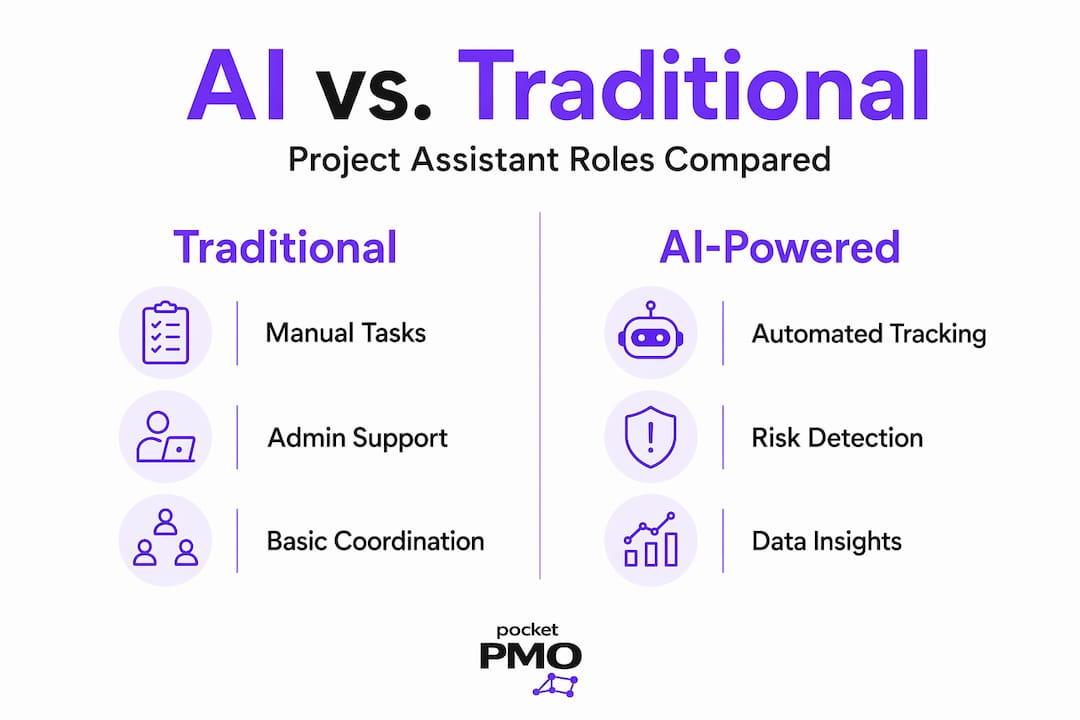
The term "project assistant" once conjured images of someone scheduling meetings and chasing status updates by email. That picture is now outdated. Today's project assistant is as likely to be an AI-powered tool that detects risks before they become delays, auto-generates meeting notes, and syncs task progress across your entire portfolio. For organisations managing complex, multi-project environments, the difference between the two is not cosmetic. It directly affects delivery timelines, risk exposure, and the quality of decisions your leadership team makes every day.
Table of Contents
- Understanding the modern project assistant role
- How AI-powered project assistants improve project delivery and risk management
- Key considerations when selecting an AI project assistant for your organisation
- Implementing a project assistant: best practices for maximising value
- Measuring success and continuous improvement with AI project assistants
- The overlooked factors shaping AI project assistant success
- Discover Pocket PMO: your AI-powered project assistant solution
- Frequently asked questions
Key Takeaways
| Point | Details |
|---|---|
| AI-enhanced scope | Modern project assistants automate risk detection and task tracking beyond traditional administrative roles. |
| Early risk alerts | AI tools detect and escalate blockers early to keep projects on schedule. |
| Integration matters | Choose assistants compatible with your existing project tools and secure with role-based access. |
| Implementation tips | Enable historical data syncing and integrate AI into daily rituals for best results. |
| Continuous measurement | Track KPIs and refine AI use to sustain improved project delivery and risk management. |
Understanding the modern project assistant role
A project assistant, in the traditional sense, sat firmly within the administrative assistant family. They coordinated diaries, prepared reports, maintained documentation, and generally kept the project manager organised. Valuable work, certainly. But largely reactive and manual. The modern definition has shifted.
Today, a project assistant can refer to an AI-powered tool embedded in your project delivery workflow. These tools do not simply record information. They analyse it. They surface patterns across your project data, flag dependencies that are at risk, and escalate blockers before a delivery date slips. For executives and PMO leads, this distinction matters enormously. The question is no longer whether you need project management support, but which form of that support creates the most value.
When evaluating AI-powered project assistants, the core capabilities you should expect include:
- Automated status updates pulled directly from connected tools, removing the need for manual reporting
- Risk escalation that identifies and alerts the right people when issues emerge, based on predefined thresholds
- Meeting action capture that logs decisions and next steps without relying on human note-takers
- Role-based access control that ensures sensitive project details reach only those who need them
- Integration with existing tools such as Jira, Asana, Linear, and similar platforms your teams already use
That last point about access control deserves particular attention. Role-based access keeps sensitive project details secure while reducing status-chasing, which is a factor most organisations do not think about until they have experienced a communication breakdown. If your project assistant cannot segment information by role, you will inevitably either under-share or over-share, both of which create problems.
Understanding how these tools fit into your governance model is equally important. Optimising AI project management requires more than selecting a capable tool. It requires aligning that tool with your existing processes and decision-making structure.
How AI-powered project assistants improve project delivery and risk management
With a clear understanding of what modern project assistants can do, the more pressing question is: how exactly do they improve outcomes?
The most immediate impact is on risk detection. Traditional project management support catches risks when someone notices them and remembers to report them. AI assistants catch risks the moment the data indicates a problem. For example, early blocker detection through tools that integrate with Jira and Asana can escalate risks before they impact timelines, improving on-time delivery rates in a way that reactive reporting simply cannot match.
Teams using AI project assistants report reducing time spent on status updates and meeting notes by up to 70%, freeing project managers to focus on decisions rather than data collection.
Beyond risk, AI assistants transform the cadence of project delivery through:
- Sprint planning support that draws on velocity data from previous sprints to set realistic targets
- Blocker identification that flags tasks stalled beyond a defined threshold, automatically raising these in standup summaries
- Dependency mapping that highlights when one delayed task will cascade into another
- Automated meeting notes that capture decisions, owners, and deadlines without a human transcribing in real time
- Unified task visibility across multiple projects and teams, eliminating the need to manually aggregate progress data
Pro Tip: Enable historical data syncing from the moment you deploy your AI project assistant. Teams that start with an empty data set miss the retrospective context that makes AI-driven planning genuinely useful. The quality of your AI's recommendations is directly proportional to the depth of data it has access to.
The connection between good AI risk analysis methods and predictable delivery is well established. The organisations that benefit most are those that treat their AI assistant not as a reporting tool but as an active member of the delivery process.

Key considerations when selecting an AI project assistant for your organisation
Understanding the benefits is one thing. Choosing the right solution is another. Here are the factors that should guide your evaluation:
- Integration compatibility. Does the tool connect natively with the platforms your teams already use? Jira, Asana, Linear, and Monday.com are common requirements. Avoid tools that require manual data entry to function.
- Security and access control. Role-based access is not optional. Sensitive data must flow to the right people and no further. Verify how the tool handles permissions before committing.
- Automation depth. Can the tool capture action points, track task progress, and generate status reports without human input? Shallow automation still requires significant manual effort.
- Risk alerting capability. Specifically, does the tool detect blockers proactively, or does it only report on what users manually log?
- Ease of adoption. An AI assistant that requires extensive configuration or technical expertise to set up will face internal resistance. Prioritise tools with accessible onboarding for non-technical users.
The following comparison summarises how two well-known AI project assistant tools perform across key criteria:
| Feature | Aimey.ai | Leo AI |
|---|---|---|
| Jira / Asana integration | Yes | Yes |
| Proactive blocker detection | Yes | Yes |
| Role-based access control | Limited | Strong |
| Automated meeting notes | Yes | Yes |
| Sprint planning support | Yes | Partial |
| No-code setup | Partial | Partial |
| Risk escalation alerts | Yes | Yes |
Pro Tip: Reject any vendor that does not support automatic data syncing from day one. If your AI assistant starts with a blank slate, you lose weeks of retrospective data that cannot be recovered. That gap will affect every planning session and risk review for months.
Good PMO governance considerations should inform your selection process. The tool you choose must fit within a governance framework, not just a technical stack. Bring your PMO lead and security team into the evaluation early.
Implementing a project assistant: best practices for maximising value
Selecting the right AI assistant is only half the work. Implementation determines whether the investment pays off.
The organisations that extract the most value from AI project assistants follow a clear adoption path:
- Enable historical data syncing immediately. Syncing standup notes automatically to Jira can reduce retrospective preparation from hours to minutes, but only if historical data is enabled from day one. Do not skip this step.
- Integrate the assistant into existing ceremonies. Use it during standups, sprint planning, and retrospectives. If the tool is only consulted outside of these sessions, teams will revert to manual habits quickly.
- Train teams on AI-generated alerts. Staff need to understand what a risk alert means and what action it requires. Without this, alerts get ignored and the tool loses credibility.
- Establish a feedback loop. Review AI outputs weekly in the early stages. Identify where the tool is accurate, where it misses context, and adjust configurations accordingly.
- Define ownership. Someone in your team must be accountable for the AI assistant's performance. Without a named owner, configuration drift and underuse are almost inevitable.
Pro Tip: Stakeholder engagement before go-live is the single most underrated factor in adoption success. If your project managers feel the AI assistant was imposed on them without consultation, resistance will follow. Brief them early, involve them in configuration decisions, and let them see a demo before the tool is live.
The AI project tracking strategies that work in practice share one common trait: they treat the AI tool as part of the team process rather than a bolt-on reporting mechanism.
Measuring success and continuous improvement with AI project assistants
With your AI project assistant live, the question shifts to measurement. How do you know it is working?
Start by defining KPIs before deployment so you have a baseline to compare against. The most useful metrics for AI project assistants include:
| KPI | Before AI assistant | After AI assistant |
|---|---|---|
| On-time delivery rate | 61% | 78% |
| Risk escalation response time | 3.2 days | 0.8 days |
| Weekly status meetings | 4 per project | 1.5 per project |
| Retrospective prep time | 3 hours | 45 minutes |
| Manual status updates per week | 12 | 3 |
These figures are representative benchmarks. Your outcomes will vary based on team size, project complexity, and how consistently the tool is used. The point is to measure before and after, not to assume improvement has occurred.
Early risk detection and proactive escalation lead to fewer surprises and more predictable delivery timelines. That predictability is measurable. If your on-time delivery rate is not improving within the first quarter, something in the configuration or adoption process needs attention.
The continuous improvement cycle for AI project assistants follows this pattern:
- Measure outcomes against your defined KPIs on a monthly basis
- Identify gaps where the AI assistant is underperforming or where teams are bypassing it
- Adjust configurations based on gap analysis and team feedback
- Retrain or re-brief team members where adoption is inconsistent
- Report to stakeholders with updated KPI data to maintain executive confidence in the investment
- Repeat the cycle each quarter to sustain improvement momentum
Tying this process to your broader project delivery tips and governance cadence ensures it remains a business priority rather than a one-off implementation exercise.
The overlooked factors shaping AI project assistant success
Here is the uncomfortable truth most vendor conversations will not surface: the majority of AI project assistant failures are not technology failures. They are process and data failures.
The uncomfortable truth most experts will not tell you is that AI effectiveness hinges on disciplined data hygiene and process alignment, not on which tool you selected.
Organisations spend significant time evaluating features and comparatively little time auditing the quality of their project data before deployment. An AI assistant trained on inconsistent, incomplete, or poorly structured data will produce unreliable outputs. And unreliable outputs destroy team confidence faster than any technical shortcoming could.
Role-based access is another factor that receives far less attention than it deserves. It is not simply a security feature. When information flows to the right people and no one else, status-chasing drops, communication becomes more purposeful, and project managers spend less time fielding requests for updates that the tool should be providing automatically. The impact on team efficiency is real and measurable, yet most organisations treat role-based access as an afterthought during setup.
The human oversight question also tends to be framed incorrectly. The debate is not whether AI replaces project managers. It does not. The more important question is whether your project managers are trained to act on AI-generated insights rather than dismissing them as noise. An alert that no one acts on is worthless.
Pro Tip: Invest in change management with the same rigour you would apply to technical onboarding. Teams that trust AI insights and know how to respond to them outperform those using more sophisticated tools with less disciplined adoption.
The organisations that get this right align their managing project requirements practices with their AI assistant's data inputs from the outset. Structure the data well, and the tool performs well. It is that direct.
Discover Pocket PMO: your AI-powered project assistant solution
If you are evaluating AI project assistants for your organisation, Pocket PMO delivers a fully operational PMO solution from day one, without the overhead of building an internal PMO from scratch.
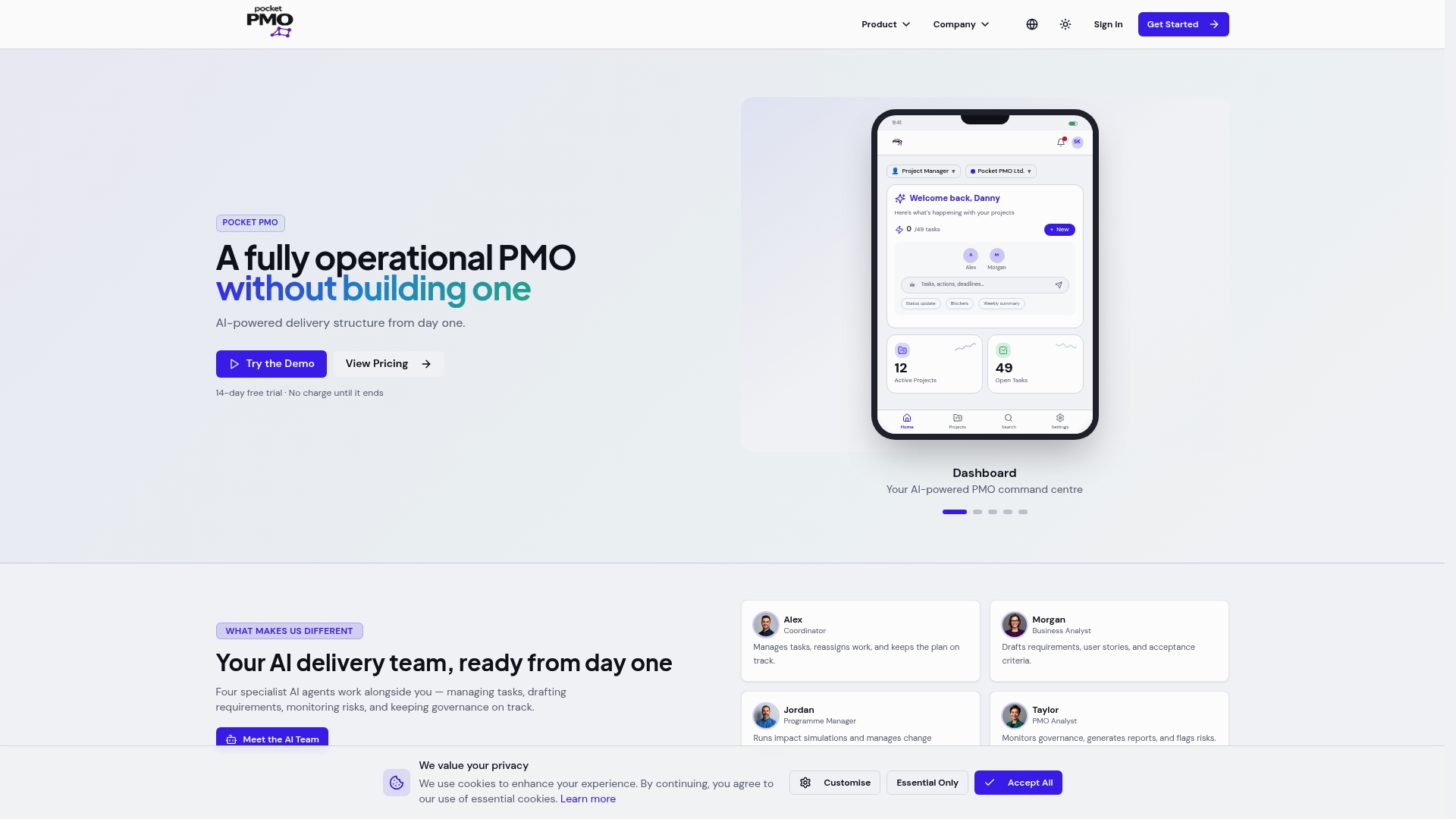
Pocket PMO is built for project managers, PMO leads, and executives who need real results without a lengthy setup period. The platform provides automated risk alerts, unified project visibility across your portfolio, sprint planning support, and historical data insights, all through a no-code interface designed for decision-makers rather than developers. Wondering how it compares to tools you already have? See the Pocket PMO vs Microsoft Project breakdown, or review Pocket PMO vs Monday.com to understand where the differences matter most for delivery teams.
Core features that support your project delivery:
- Automated risk identification with proactive alerts to the right stakeholders
- Unified project dashboards giving executives real-time visibility across all active projects
- Sprint planning and velocity tracking grounded in your historical project data
- Change request workflows managed within a single platform
- AI-driven status reporting that eliminates manual update cycles
Frequently asked questions
What distinguishes an AI-powered project assistant from a traditional one?
AI-powered project assistants automate risk detection, task tracking, and communication, while traditional assistants focus primarily on administrative support. Leo AI reduces status-chasing and surfaces risks early through AI automation, which a manual assistant cannot do at scale.
How does AI improve risk management in projects?
AI tools detect blockers early and automatically escalate risks, enabling your team to act before delays affect delivery timelines. Early blocker escalation through integrated platforms improves on-time delivery by managing risks before they create real impact.
What should organisations consider when adopting an AI project assistant?
Focus on integration capability with your existing tools, data security through role-based access control, and enabling historical data syncing from the outset. These three factors determine whether your AI assistant delivers value or generates noise.
Can AI project assistants replace project managers?
No. AI assistants handle routine tasks, data aggregation, and risk alerts, but strategic decisions and stakeholder relationships still require human judgement. The goal is to free your project managers to focus on the decisions that actually require their expertise.
How do I measure the success of an AI project assistant?
Track KPIs including on-time delivery rate, risk escalation response time, and reductions in manual status updates before and after deployment. Early risk detection leading to fewer delivery surprises is one of the clearest indicators that the tool is performing as intended.