

Managing projects without AI support in 2026 means wrestling with task overload, fragmented communications, and timelines that shift without warning. An ai-driven project management workflow changes that picture entirely, not by replacing your judgement, but by handling the data-heavy, repetitive work that currently consumes hours you do not have. This guide walks you through the preparation, implementation, governance, and troubleshooting required to adopt AI-enhanced processes that actually stick. You will leave with a clear, practical understanding of each step, grounded in how real teams are making this work today.
Table of Contents
- Key takeaways
- Before you implement an AI-driven project management workflow
- Step-by-step: implementing your AI workflow
- Governance, risk, and human oversight
- Sustaining momentum and avoiding common pitfalls
- My perspective on making this work in practice
- How Pocketpmo supports your AI workflow from day one
- FAQ
Key takeaways
| Point | Details |
|---|---|
| Audit before you automate | Map your current workflows to identify bottlenecks and repetitive tasks before selecting any AI tools. |
| Start with one pain point | Gradual adoption focused on a specific problem, such as meeting overload, produces better results than wholesale transformation. |
| Human oversight is non-negotiable | Build human-in-the-loop checkpoints into every high-risk decision to maintain trust and compliance. |
| Governance must be built in from day one | Role-based access controls and explainable AI outputs protect auditability, especially in regulated environments. |
| Weekly habits sustain momentum | A structured weekly AI planning session keeps your workflow active and your team aligned across projects. |
Before you implement an AI-driven project management workflow
The teams that struggle most with AI adoption are not the ones that chose the wrong tool. They are the ones that skipped preparation. Getting the foundations right before you touch any AI task management software saves weeks of rework.
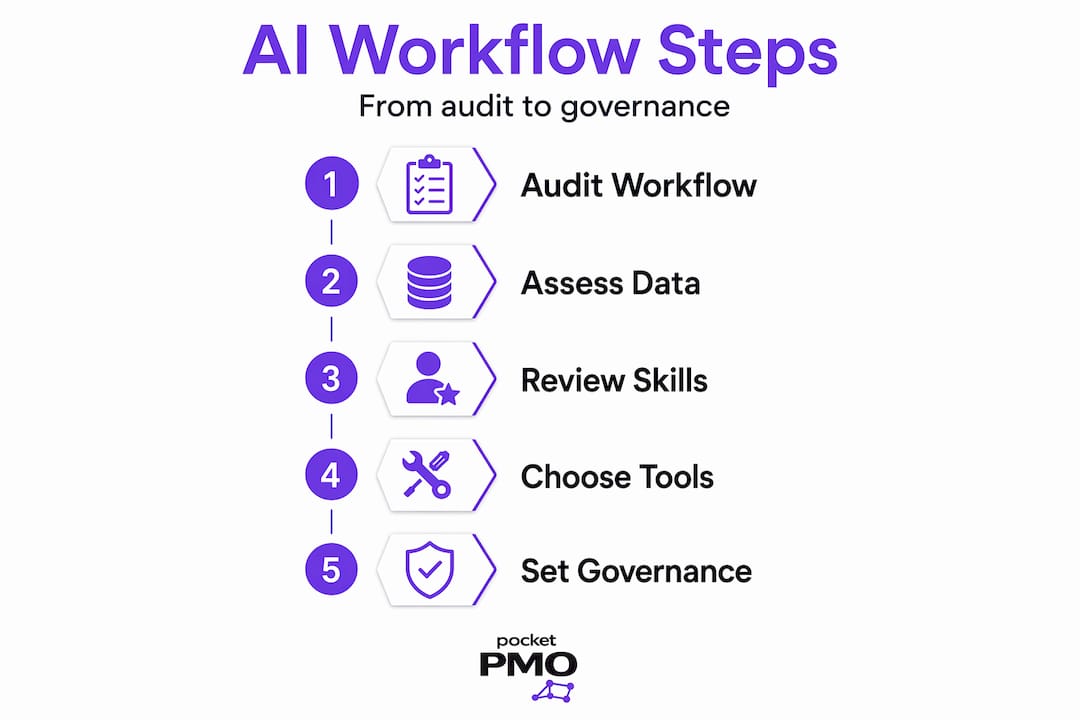
Start with a workflow audit. Before you consider which AI project management tools to evaluate, document how your current processes actually work. Walk through a recent project cycle and note every manual task, every repeated communication, and every point where information gets lost or delayed. These are your AI candidates. Tasks like compiling status updates, scheduling follow-ups, and summarising meeting notes are exactly what automated workflow systems handle well.
Assess your data quality. AI outputs are only as reliable as the inputs feeding them. If your project data is scattered across spreadsheets, email threads, and sticky notes, the AI will surface that chaos back to you in a different format. Consolidate your task data, risk logs, and resource information into a central system before you integrate any machine learning in project management tools.
Honest skills assessment matters. 68% of executives report a moderate-to-extreme skills gap when implementing AI workflows. That figure should not alarm you; it should tell you where to invest time before scaling. Identify who on your team is confident with AI tools, who is sceptical, and who simply needs training. A clear picture of your team's AI literacy shapes how quickly and how broadly you roll things out.
Select tools that fit your existing systems. There is no value in AI project management tools that sit outside your current infrastructure. Look for platforms that integrate with the systems your team already uses, such as ticketing, resource planning, and communication tools. For a detailed breakdown of what to look for, the AI in project management guide from Pocketpmo covers tool selection in depth.
Pro Tip: Before evaluating any AI tool, spend 30 minutes listing the five tasks that consume the most time in your week. That list becomes your implementation priority order.
Finally, establish your human-in-the-loop governance principles before you go live. Decide which decisions AI can automate fully, which it can recommend on, and which must always have a human sign-off. Defining this upfront prevents the ambiguity that erodes team confidence later.
Step-by-step: implementing your AI workflow
Once your foundations are in place, implementation becomes a sequenced process rather than an experiment. These ai-driven project management steps are designed to be adopted incrementally, not all at once.
-
Set up a weekly AI planning session. Feed all your project inputs, including tasks, notes, emails, and meeting outputs, into a large language model at the start of each week. Ask it to generate a prioritised action plan that flags dependencies and blockers. This single habit alone can save approximately six hours weekly per contributor on routine summarisation and follow-up tasks.
-
Automate meeting transcription and summarisation. Connect your video conferencing tools to an AI transcription service. After each meeting, the AI generates a structured summary with decisions, owners, and next steps. Your team stops spending 20 minutes writing up notes and starts spending that time acting on them.
-
Use AI for resource allocation and forecasting. AI tools enhance agility by enabling dynamic resource allocation and real-time forecasting, shifting your project from static planning to responsive management. Feed your current resource data into an intelligent project tracking system and let it model different allocation scenarios before you commit.
-
Incorporate AI-driven risk prediction. AI project management tools analyse patterns across your project data to surface risks before they become issues. For example, testing phases are commonly underestimated by 25% in human forecasts. An AI-driven system catches that pattern and flags it during planning, not during delivery.
-
Automate status reporting. Configure your AI tool to auto-generate weekly status reports from your task and milestone data. Reports go out on schedule, formatted consistently, without anyone manually compiling figures. This is one of the most immediate time savings teams report.
-
Test before you scale. Run your AI workflow on a single project for four to six weeks before expanding to your portfolio. Collect feedback from the team, review the accuracy of AI outputs, and adjust your prompts and configurations accordingly.
Pro Tip: When writing AI prompts for your planning sessions, include the context of your project phase, the team size, and the top three open risks. Richer prompts produce far more useful outputs than generic questions.
Governance, risk, and human oversight
Governance is where ai-driven project governance workflow thinking separates teams that trust their AI outputs from those that quietly stop using them. Without a clear governance structure, AI becomes a black box, and black boxes do not survive scrutiny from clients, auditors, or senior leadership.
The core principle is human-in-the-loop design. AI drafts and predicts, but humans retain strategic decision authority. This is not a limitation of current AI; it is the correct design for any system where decisions carry real consequences.
Build your governance framework around these pillars:
- Role-based access controls. Not every team member should have the same visibility into AI-generated risk assessments or budget forecasts. Effective AI governance requires role-based access and explainable outputs to maintain auditability, particularly in regulated sectors. Define access levels before you deploy.
- Explainable AI outputs. If your AI tool cannot tell you why it generated a particular risk rating or forecast, you cannot defend that output to a stakeholder. Choose tools that show their reasoning. For deeper reading on this, the PMO governance guide from Pocketpmo outlines what explainability looks like in practice.
- Defined HITL checkpoints. Map out the decisions in your workflow that require human review before action. Project scope changes, budget reforecasts, and risk escalations should all pass through a named reviewer, regardless of what the AI recommends.
- Continuous monitoring. LLMOps practices and red teaming are the standard for safe AI workflow operation. Schedule regular reviews of AI output accuracy, and build a feedback mechanism so team members can flag outputs that seem incorrect.
- Data bias awareness. If your historical project data over-represents certain project types or team compositions, your AI forecasts will reflect those biases. Acknowledge this limitation and weight your inputs accordingly.
Governance is not a brake on AI adoption. It is the mechanism that makes sustained adoption possible. Teams that build oversight in from the start move faster in the long run because they never have to stop and rebuild trust.
Sustaining momentum and avoiding common pitfalls
Even well-prepared implementations encounter friction. Knowing where teams commonly stall helps you address problems before they derail progress.

Messy data is not a blocker, but it needs a plan. Many project managers assume their data is too disorganised for AI to use. In practice, good AI design can work with imperfect inputs. The risk is not messy data; it is unacknowledged messy data. Document your data limitations explicitly so your AI outputs carry the appropriate confidence level.
Over-automation erodes trust. The teams that get the most from AI combine data-driven AI outputs with human leadership on complex decisions. Automating too much too quickly, particularly in areas that require political judgement or stakeholder management, produces outputs that feel wrong to experienced project managers. Pull back and restore human control in those areas.
Resistance is usually a communication problem. When team members push back on AI tools, it is rarely about the technology itself. It is about uncertainty: uncertainty about their role, the reliability of outputs, and whether their experience still matters. Address this directly with training sessions, clear role definitions, and transparent communication about what the AI does and does not decide.
Pro Tip: Schedule a 15-minute AI review habit at the end of each week where you assess which AI outputs were accurate, which were off, and what prompt or data change would improve them. This habit compounds over time into a far more accurate and useful system.
Gradual adoption with defined pain points produces better team adoption and reduces disruption. Pick the area where your team feels the most daily friction, fix that first, and build from there. Trying to transform everything simultaneously introduces risk without the benefit of learning.
Finally, keep your AI prompts and workflow configurations under version control, just as you would any project artefact. As your project context evolves, your AI inputs must evolve with it. Stale prompts produce stale outputs.
My perspective on making this work in practice
I have watched a lot of teams approach AI adoption with the wrong expectation. They assume the hard part is selecting the right tool. In my experience, the tool rarely matters as much as the habit.
The teams that genuinely benefit from an ai-driven project management workflow are the ones that commit to a consistent weekly rhythm. They feed their project data into the system at the same time each week, review the outputs with genuine curiosity, and adjust their inputs when something looks wrong. That discipline is what separates a useful AI workflow from an abandoned one.
What I have also found is that starting small is not just safer. It is actually faster. A team that nails meeting summarisation and status reporting in the first month builds the confidence and the data quality to tackle forecasting and risk prediction in month two. Teams that try to implement everything at once spend those same two months arguing about which outputs to trust.
The human-in-the-loop principle is not a compromise. It is the point. Human-AI collaboration works because each side does what it is genuinely good at. AI handles pattern recognition and data synthesis at scale. Humans handle context, judgement, and accountability. A project manager who understands that distinction will get far more from AI than one who treats it as either a magic answer machine or a threat to their role.
— Danny
How Pocketpmo supports your AI workflow from day one
If you want to put these ai-driven project oversight steps into practice without building the infrastructure from scratch, Pocketpmo is designed to do exactly that.
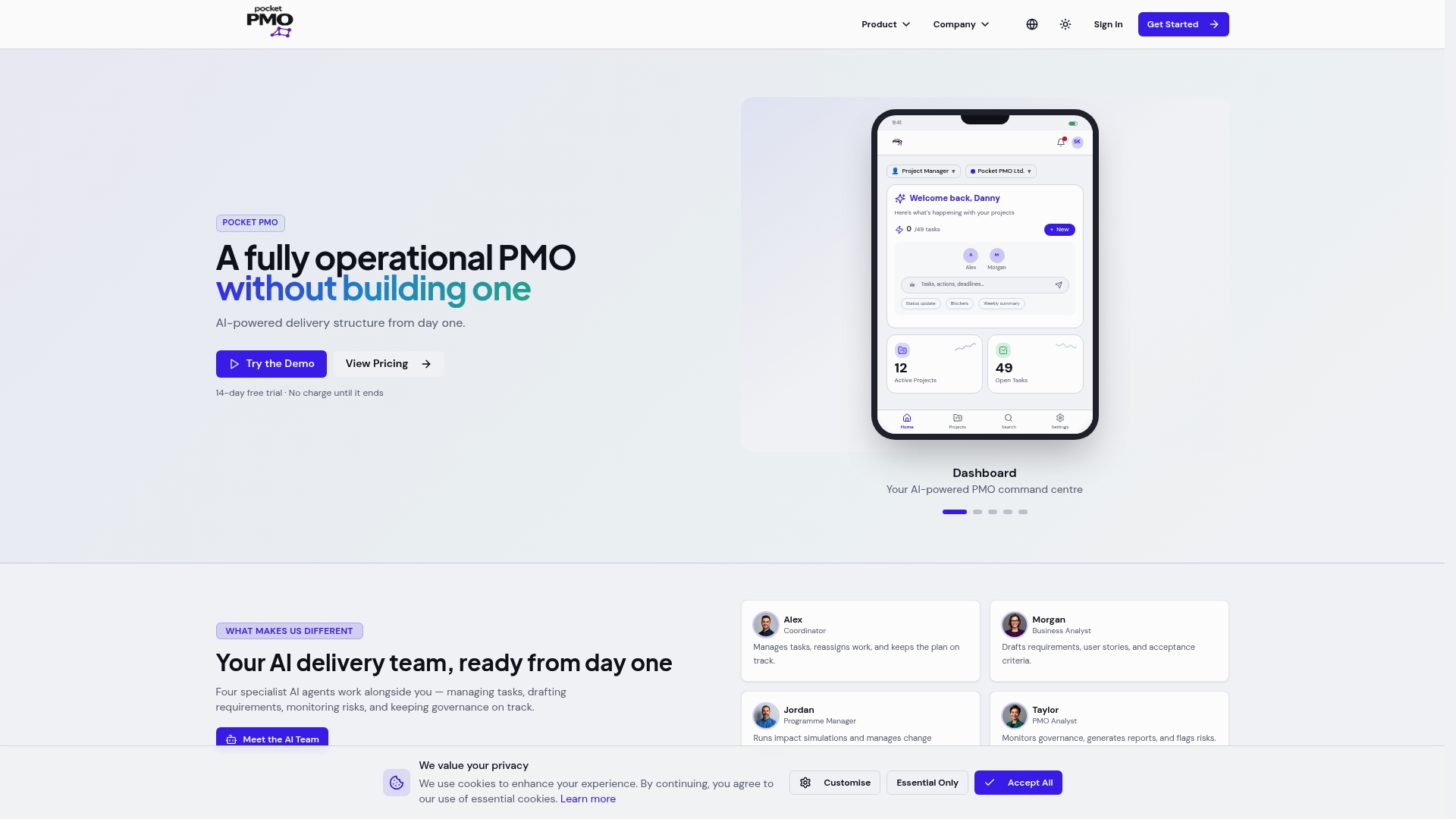
Pocketpmo deploys a fully operational AI-powered PMO that integrates with your existing tools, including Jira, Monday.com, and Asana, so you are not starting from zero. The platform brings together real-time dashboards, intelligent risk analysis, automated status reporting, and change request workflows in one place. If you are evaluating your current tools, the Pocketpmo vs Monday.com comparison shows exactly where AI-driven governance and portfolio visibility make a practical difference. You can also start immediately with a free risk register template to support your governance setup. For teams ready to move beyond manual project oversight, explore the full platform and see what a ready-to-use AI PMO looks like in practice.
FAQ
What is an AI-driven project management workflow?
An AI-driven project management workflow is a structured process that uses artificial intelligence to automate, analyse, and support project tasks such as status reporting, risk prediction, resource allocation, and meeting summarisation. The goal is to reduce manual effort and improve decision quality, with humans retaining oversight of strategic choices.
How do I start implementing AI in my project management process?
Begin by auditing your current workflows to identify the most time-consuming manual tasks, then select AI project management tools that integrate with your existing systems. Start with a single use case, such as automated meeting notes or weekly status reports, and expand once you have validated the outputs.
What governance controls should I put in place for AI project management?
At minimum, implement role-based access controls, define human-in-the-loop checkpoints for high-risk decisions, and choose tools that provide explainable outputs. Continuous monitoring and red teaming are also recommended to maintain accuracy and safety over time.
How much time can AI save project managers each week?
AI use can save contributors approximately six hours weekly on routine tasks including summarising transcripts, compiling status updates, and automating follow-up communications.
What are the biggest risks of adopting an AI-driven workflow?
The most common risks are data bias from poor-quality inputs, over-automation in areas that require human judgement, and team resistance caused by unclear communication about how AI fits into existing roles. Addressing these with phased adoption, governance frameworks, and training significantly reduces implementation risk.