

A task management workflow is a defined sequence of steps that moves work from creation to completion with clear ownership at every stage. Without this structure, projects stall, deadlines slip, and teams duplicate effort. This guide covers the six core workflow stages, prioritisation frameworks, tool selection, and continuous improvement methods that project managers, PMOs, and consultancies use to keep delivery on track. Tools like Pocketpmo, Slack Workflow Builder, and Zapier each play a distinct role in a well-designed system, and this guide explains exactly where each one fits.
What are the six stages of a task management workflow guide?
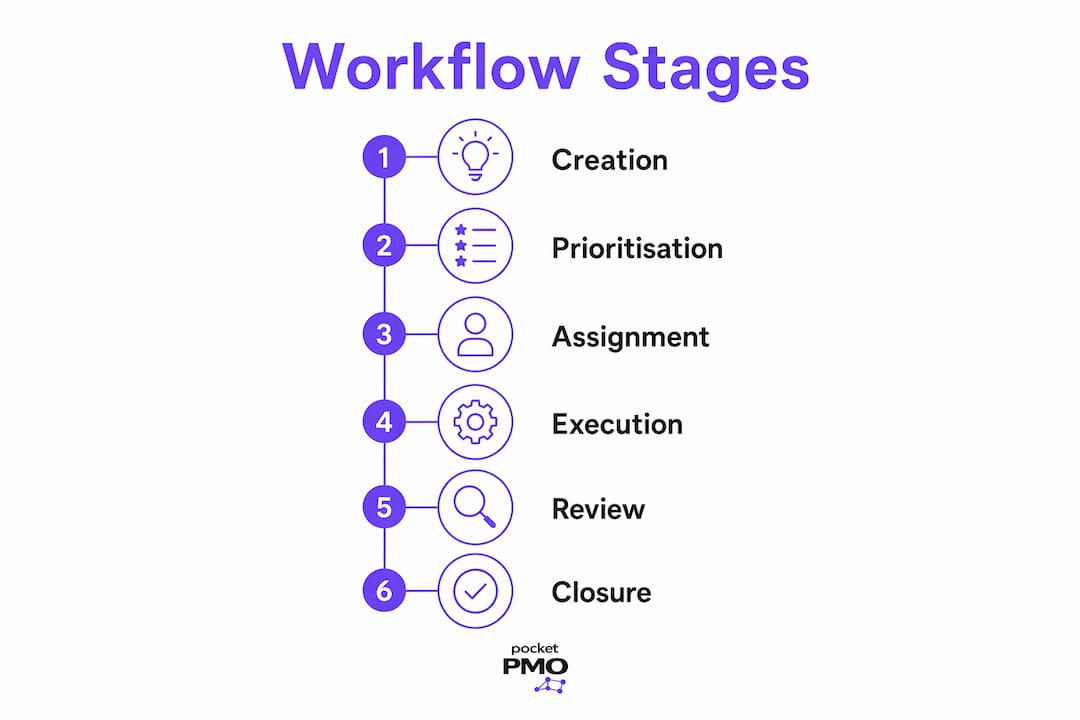
A mature task management process moves through six discrete stages: creation and scoping, prioritisation, assignment, execution, review, and closure. Each stage requires clear inputs and outputs to prevent downstream delays. Skipping even one stage creates ambiguity that compounds as the project progresses.
-
Creation and scoping. Define the task clearly before it enters the queue. Capture the objective, acceptance criteria, and any dependencies. Vague task descriptions are the single biggest cause of rework.
-
Prioritisation. Rank tasks by urgency, impact, and resource availability. Without a consistent ranking method, teams default to working on whatever feels most pressing rather than what matters most.
-
Assignment. Allocate each task to one named owner. Shared responsibility without a single accountable owner causes tasks to stall. One owner per task is non-negotiable in any system that scales.
-
Execution. The owner carries out the work within the agreed timeline. This stage benefits most from visual tracking tools like Kanban boards, which surface blockers before they become delays.
-
Review. A designated reviewer checks the output against the acceptance criteria set at scoping. Skipping this stage pushes quality problems into later phases where they cost far more to fix.
-
Closure. Mark the task complete, capture any lessons, and archive the record. A project closure template makes this step consistent and fast across every project.
Pro Tip: Treat closure as a mandatory gate, not an optional formality. Teams that skip it lose institutional knowledge and repeat the same mistakes on the next project.
Scrum cadences and Kanban visualisation both map directly onto these six stages. Scrum uses sprint planning and retrospectives to handle creation, prioritisation, and review. Kanban uses column-based boards to make execution and bottlenecks visible in real time. Either methodology works; the key is choosing one and applying it consistently.
How to prioritise and organise tasks effectively within workflows
Effective task prioritisation is the difference between a team that delivers and one that stays permanently busy without finishing anything meaningful. Three frameworks dominate professional practice.
- Eisenhower matrix. Divides tasks into four quadrants by urgency and importance. Tasks that are important but not urgent, the ones most teams neglect, belong in a dedicated planning block each week.
- MoSCoW method. Classifies tasks as Must have, Should have, Could have, or Won't have. This works particularly well in product and change delivery contexts where scope negotiation is ongoing.
- 80/20 rule. Focuses effort on the 20% of tasks that produce 80% of the value. Applied to workflow design, it means standardising 80% of predictable work and building flexible manual paths for the remaining 20%.
Beyond the framework itself, realistic timelines matter as much as the ranking. Build deadline buffers into every task at assignment, not after the first delay. A task with no buffer absorbs any unexpected complexity and immediately becomes a blocker for everything downstream.
Visual boards and status models aligned to actual delivery workflows improve task visibility and flow detection. Move beyond the basic three-column board. A five-status model, such as Backlog, Ready, In Progress, In Review, and Done, gives far more signal about where work is genuinely stuck.

Pro Tip: Integrate your prioritisation framework directly into your task management tool. If the tool does not surface priority scores on the main board view, teams will ignore them within a week.
Connecting prioritisation to a PMO workflows list gives you a repeatable reference point for ranking decisions across multiple projects simultaneously.
Which tools best support task management workflow automation?
The right tool depends on the complexity of your workflows, not on feature count. The table below compares five widely used platforms across the criteria that matter most for professional teams.
| Tool | Native automation | Custom workflows | Multi-project view | Best for |
|---|---|---|---|---|
| Pocketpmo | Yes, with AI | Yes | Yes | PMOs and multi-project delivery |
| Slack Workflow Builder | Yes | Limited | No | Routine approvals and notifications |
| Zapier | Yes | Yes | No | Cross-tool data routing |
| Notion | Limited | Yes | Limited | Documentation-heavy teams |
| Airtable | Yes | Yes | Limited | Data-driven task tracking |
Automation tools like Slack Workflow Builder and Zapier handle routine approvals and data entry well. The time savings compound quickly when the same automation runs across dozens of workflow instances each week.
The critical rule: never apply automation to a broken process. Automating a flawed workflow accelerates errors and reinforces bad habits. Map and fix the manual process first, then automate the stable version.
Pocketpmo takes a different approach by deploying an AI-powered delivery team that manages tasks, requirements, and risks from day one. Rather than connecting separate tools with Zapier, the platform handles portfolio management, change request workflows, and status reporting within a single environment. That matters most when you are running five or more concurrent projects and need a single source of truth.
Pro Tip: Before selecting any tool, audit your current workflow and identify the three steps that cause the most delays. Choose the tool that addresses those three points directly, not the one with the longest feature list.
Dashboards and KPI tracking complete the picture. A tool that automates tasks but provides no visibility into cycle time or error rates gives you speed without control.
How to maintain and continuously improve your task management workflow
Workflow optimisation is a continuous refinement cycle that requires both quantitative data and qualitative feedback from your team. Setting it up once and leaving it alone guarantees degradation within months.
The most effective maintenance approach combines four practices:
- Set measurable goals for each workflow. Cycle time, error rate, and on-time delivery rate are the three metrics that matter most. Without a baseline, you cannot tell whether a change improved anything.
- Collect team feedback systematically. Team members are the primary source of truth about bottlenecks. A short fortnightly retrospective, even fifteen minutes, surfaces problems that dashboards miss.
- Schedule regular reviews. Regular workflow reviews with live dashboards help sustain gains and catch new bottlenecks early. Quarterly reviews work for stable workflows; monthly reviews work for fast-changing environments.
- Document every change. When you modify a workflow step, record what changed, why, and what outcome you expected. Without this log, teams repeat failed experiments and lose track of what the current approved process actually is.
Common pitfalls undermine even well-designed systems. Shared ownership, where two people are both responsible for a task, is the most frequent failure mode. Systems that enforce single accountability per task have significantly higher on-time delivery rates. The second pitfall is skipping the review stage under time pressure. The third is ignoring exceptions. Every workflow has edge cases; if you do not design a manual path for them, people will bypass the system entirely.
Clear definitions of scope, deadlines, and acceptance criteria prevent misalignment before it starts. Making implicit assumptions explicit is the single most underrated practice in professional project management.
Key takeaways
A well-structured task management workflow requires six defined stages, single-task ownership, a consistent prioritisation framework, and regular review cycles to sustain performance over time.
| Point | Details |
|---|---|
| Six-stage workflow structure | Every task must pass through creation, prioritisation, assignment, execution, review, and closure. |
| Single owner per task | Shared responsibility causes tasks to stall; assign one named owner to every task without exception. |
| Prioritise before automating | Fix and standardise your manual process before applying any automation tool. |
| Use a five-status board | Move beyond three columns to surface where work is genuinely stuck in real time. |
| Review cycles sustain gains | Schedule fortnightly team feedback and quarterly workflow reviews to catch new bottlenecks early. |
What I have learned from implementing workflows in the field
The gap between a workflow that looks good on a diagram and one that teams actually follow is almost always caused by implicit assumptions. I have seen projects derail not because the process was wrong, but because two senior people had completely different mental models of what "in review" meant. One thought it meant a quick check; the other thought it required sign-off from three stakeholders. Neither was wrong. The definition simply did not exist in writing.
The most useful thing you can do before rolling out any new workflow is to run a table-top exercise. Walk the team through a real task from creation to closure and ask them to narrate what they would do at each step. The disagreements that surface in that conversation are the gaps that will cause delays in production. Fix them before they cost you a deadline.
I am also sceptical of teams that treat process discipline and flexibility as opposites. Successful task management balances process discipline with flexibility to handle exceptions gracefully. The 80/20 split is the practical answer: lock down the standard path for the majority of work, and design a deliberate exception route for the rest. Teams that try to make every task fit the standard path end up with a system nobody trusts.
On tools: the platform matters far less than the discipline around it. I have seen Pocketpmo used brilliantly and Notion used terribly, and vice versa. The tool gives you structure and visibility. The team gives you the behaviour that makes it work. Get the behaviour right first, then choose the tool that supports it.
— Danny
How Pocketpmo supports your task management workflows
Pocketpmo is built for teams that need more than a task list. It delivers a fully operational PMO without the overhead of building one internally, combining real-time dashboards, AI-driven risk analysis, and custom workflow automation in a single platform.
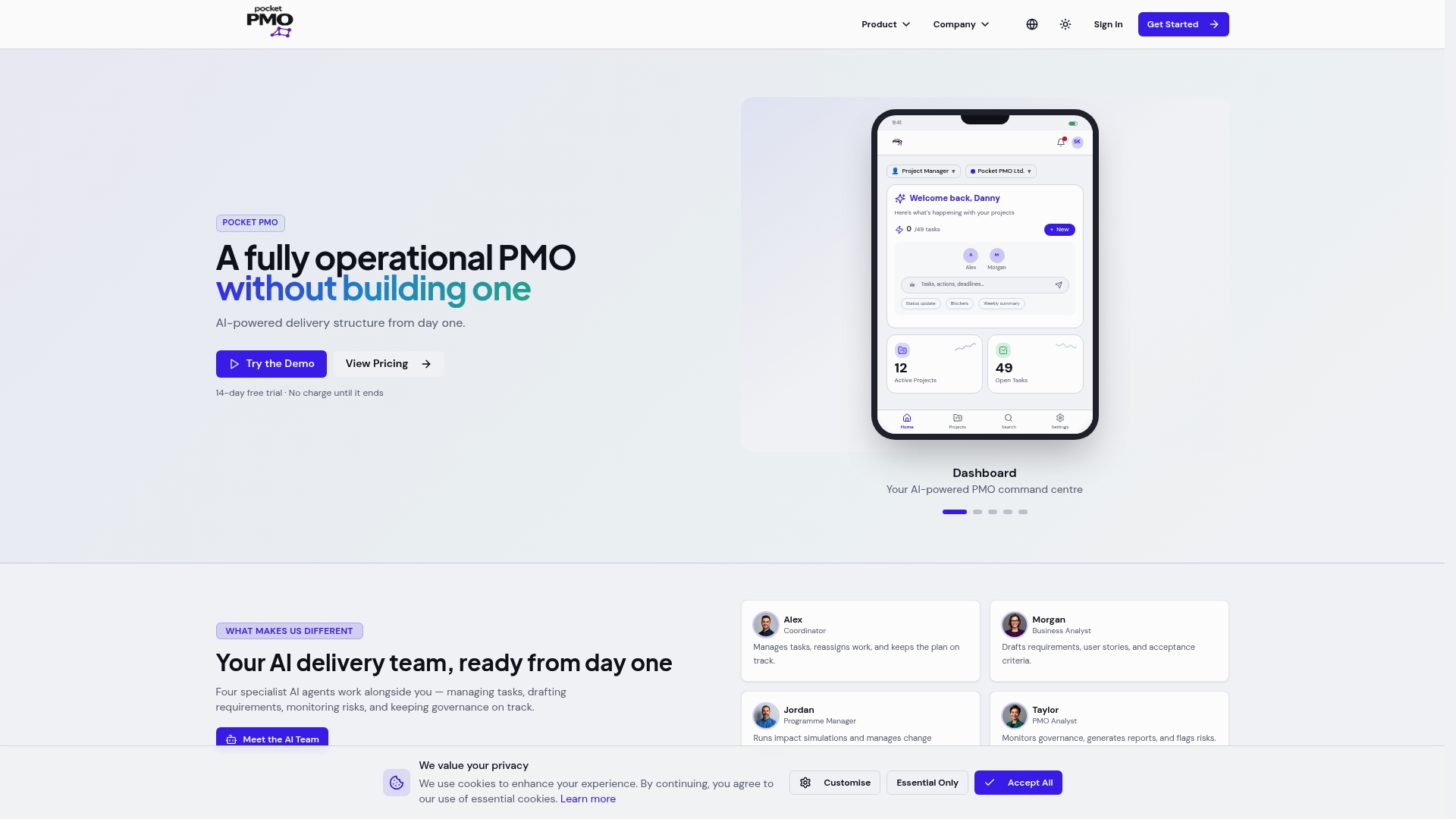
Where tools like Microsoft Project require significant configuration and Monday.com focuses on visual boards, Pocketpmo deploys an AI-powered delivery team that actively manages tasks, flags risks, and generates status reports. You can see a direct feature comparison with Microsoft Project and a comparison with Monday.com to assess which platform fits your delivery environment. For teams managing multiple concurrent projects, the portfolio view and predictive analytics make it the most direct path from workflow design to consistent delivery.
FAQ
What is a task management workflow?
A task management workflow is a structured sequence of steps that moves work from initial creation through to completion, with defined ownership, status tracking, and review at each stage.
How many stages should a task management workflow have?
A mature workflow has six stages: creation and scoping, prioritisation, assignment, execution, review, and closure. Each stage requires clear inputs and outputs to prevent delays.
What is the most common reason task workflows fail?
The most common failure is assigning shared responsibility without a single accountable owner. Tasks with two or more owners stall because neither party treats them as their primary obligation.
Should I automate my task management workflow immediately?
No. Map and fix your manual workflow first. Applying automation to a broken process accelerates errors rather than resolving them.
Which prioritisation framework works best for professional teams?
The MoSCoW method works well for project delivery contexts, while the Eisenhower matrix suits individual task management. The 80/20 rule applies most effectively at the workflow design level.