

Keeping project portfolios visible and under control is often hindered by fragmented tools that require manual updates and lack advanced risk insights. Many traditional project portfolio management platforms gate essential AI features behind costly enterprise licenses or make integration with core business apps difficult for technical teams. This comparison breaks down AI-powered automation, deployment flexibility and real-time reporting across leading platforms so you can pick the software that matches your portfolio scale, security needs and budget.
Table of Contents
- Pocket PMO
- Make
- n8n.io
- Comparing Pocket PMO, Make, and n8n.io for Project Portfolio Management Tasks
Pocket PMO
At a Glance
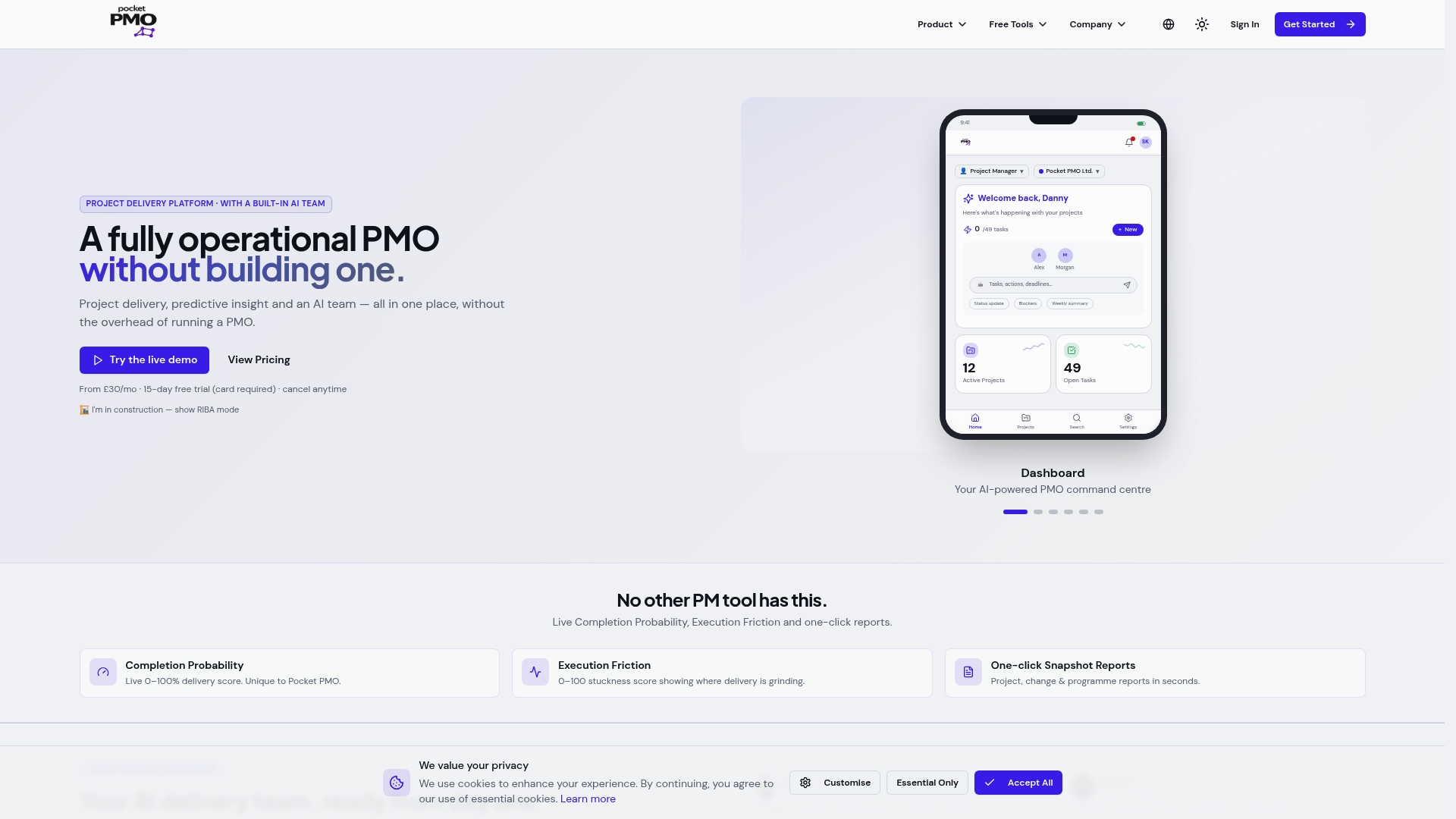
Pocket PMO deploys a dedicated AI team that drafts task, RAID and report updates in draft mode so human approvers keep final control. The platform pairs that mechanism with real time health scores and impact simulations to make portfolio risk visible early.
Core Features
- AI-powered project management tools that draft updates, RAID entries and stakeholder reports for approval.
- Real time project health dashboards showing success scores and execution friction across projects.
- Predictive risk analysis and impact simulation to model changes before they are approved.
- One click snapshot reports for stakeholders and branded status outputs.
- AI team management that keeps updates in draft mode until you approve them.
Key Differentiator
The defining capability is an integrated AI team that manages tasks, risks and reports with approval-first control plus real time predictive insights. That blend reduces the manual churn of status updates while preserving a human gate for governance.
Pros
- Comprehensive lifecycle coverage gives PMOs a single place for planning, change requests and governance, which reduces context switching for delivery teams.
- The AI team handles routine updates so you spend less time formatting reports and more time on decisions. This cuts admin overhead for busy PMs.
- Easy setup and branding customisation mean teams can be operational quickly without a long implementation project.
- Built-in construction mode supports RFIs and snagging workflows, which makes the tool relevant to delivery teams in built environment projects.
- Real time health scores and execution friction metrics help you spot projects slipping before status meetings become firefights.
Cons
- The product is relatively new and has fewer independent reviews, so long term reliability is still unproven.
Notable Integrations
- Microsoft 365 is available as an optional integration for document and identity workflows. Additional setup may be required to connect calendars and files.
Who It's For
Delivery professionals, project managers, PMOs and consultancies that want AI assistance for project governance and reporting. Construction teams and firms running multiple client portfolios will find the construction features and access controls useful.
Unique Value Proposition
Pocket PMO puts an AI delivery team into your workflow that produces draft updates and stakeholder snapshots ready for your approval. That arrangement changes the work mix for PMs from data assembly to decision making and lets smaller teams deliver PMO outputs without hiring extra resource.
Real World Use Case
A project manager uses Pocket PMO to auto generate a project health report every week, reviews AI suggested mitigations for top risks and approves the final snapshot for the sponsor. Report preparation time falls and issues are surfaced earlier in the delivery cycle.
Pricing
Plans start at £30/month for the Pro plan for individual users and £120/month for the PMO plan for teams. Custom enterprise options are available and a 15 day free trial is offered.
Website: https://pocketpmo.co.uk
Make
At a Glance
Make's marketing materials advertise a library of over 3,000 pre-built app integrations, a detail that signals breadth for teams wiring AI and enterprise systems together. The platform pairs a visual builder with observability and enterprise security claims to support real-time orchestration at scale.
Core Features
- Visual workflow builder with drag-and-drop interface for mapping complex flows without scripting.
- AI automation and agent orchestration for embedding ChatGPT‑style logic and voice models into processes.
- Real-time analytics and observability dashboards to monitor executions and spot bottlenecks quickly.
- Role-based access control and the vendor states compliance with GDPR, SOC 2 and SOC 3.
- On‑premises agent support and extensive API management for custom integrations and local network access.
Key Differentiator
Make is a visual-first automation platform built for complex, real-time orchestration that includes native AI automation and enterprise controls. That combination makes it easier to design multi-step, cross‑system processes visually while keeping auditability and data control in view.
Pros
- Excellent real-time integration capabilities that help keep data flowing between systems with low latency.
- The visual designer reduces boilerplate for technical teams building multi-branch logic and conditional routing.
- Strong API management features let engineers expose and secure endpoints without throwing together separate middleware.
- High attention to data security and encryption, with on-premises agent options for sensitive environments.
- Usability hits a good balance for technically minded business users who want control without full developer overhead.
Cons
- A steeper learning curve for beginners; the power comes with complexity that needs training or a dedicated automation owner.
- The vendor advertises a large library, yet it is less extensive than some competitors, meaning occasional custom connectors are required.
- The interface can feel dense for non-technical users who expect very simple one-off automations.
- Pricing is reported as a barrier for smaller teams that do not need enterprise features.
When It May Not Fit
If your team needs a plug-and-play tool for single-step automations or you have no technical capacity, Make will demand time to learn and maintain. Small businesses with tight budgets may find the pricing and feature set mismatched to their needs. For very simple integrations, a cheaper, simpler tool will get you live faster.
Notable Integrations
- OpenAI (ChatGPT, Whisper, DALL-E) for conversational and generative AI workflows.
- Salesforce and NetSuite for enterprise CRM and ERP orchestration.
- HubSpot CRM, monday.com, Slack, Canva and Perplexity AI for common business and productivity workflows.
Who It's For
Medium to large organisations with technical teams that need scalable, secure automation and AI integration. Security-conscious IT departments and integration teams that require on-premises agents or advanced API controls will get the most value.
Real World Use Case
A multinational organisation connects HR, Finance and Customer Support systems so employee data, invoices and ticket status update automatically. Make runs AI agents for first‑line customer replies and provides dashboards that show execution health and data lineage for audits.
Pricing
Pricing details were not provided in the product data. Organisations should contact Make for plan options and enterprise licensing. Expect enterprise features and on‑premises support to affect cost compared with entry level automation tools.
Website: https://make.com
n8n.io
At a Glance
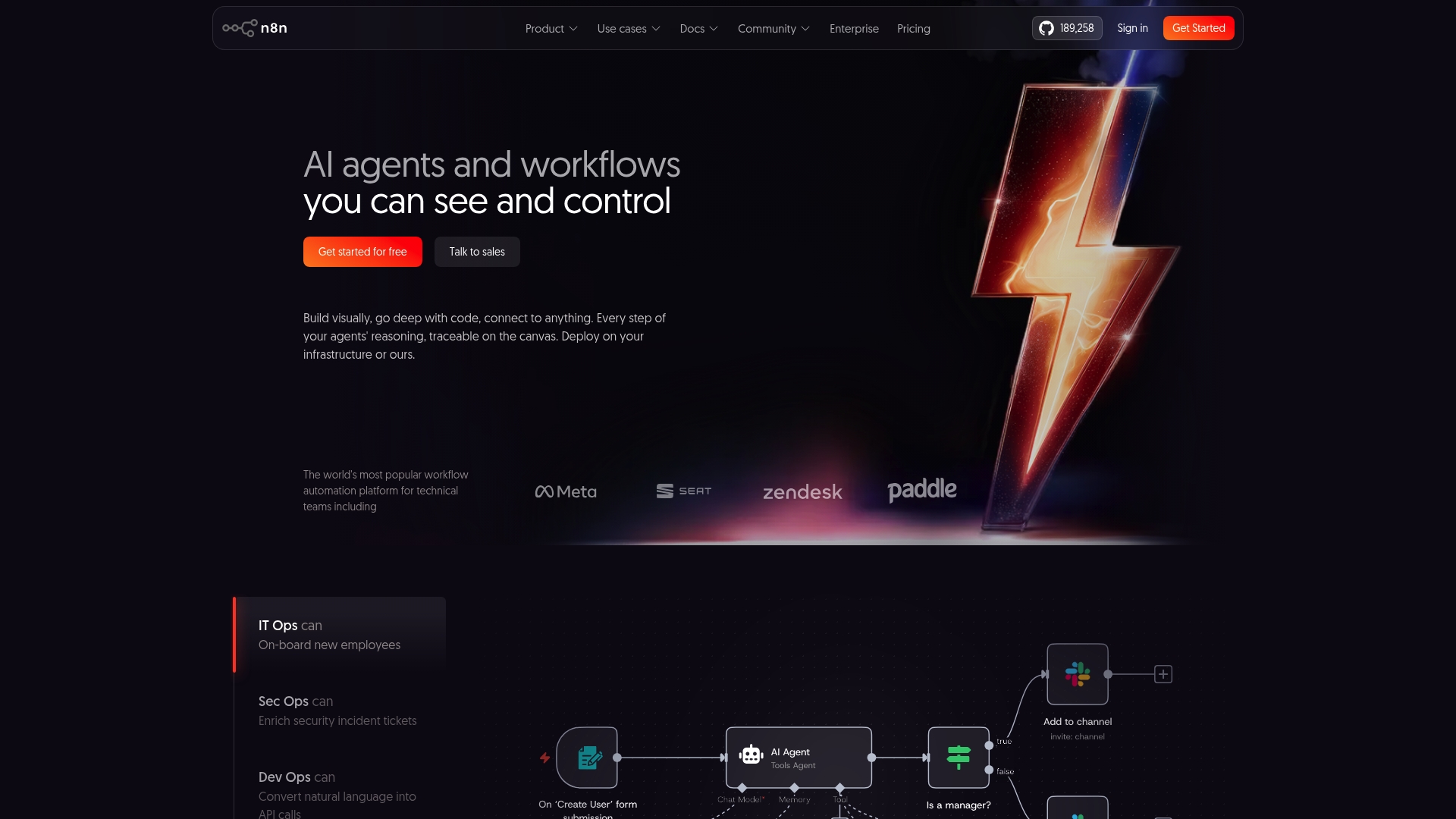
The vendor advertises more than 9,500 pre-built workflow templates, a figure that gives teams a fast starting point for automation. n8n pairs that breadth with on-premises and hosted deployment options, making it attractive where data control matters.
Core Features
A visual workflow builder with code extensibility lets developers drop in JavaScript or custom connectors when a drag and drop node is not enough. The flow canvas makes branching logic and retries explicit.
According to the company, n8n connects to over 500 apps and services, and it includes AI integration nodes to accelerate agent and automation development. Both self-hosted and cloud deployment are supported for different security postures.
Key Differentiator
n8n’s hallmark is the combination of a designer you can see and code you can edit. That mix lets technical teams prototype quickly, then harden workflows with custom connectors or inline scripts. The platform also emphasises AI integration and flexible deployment, which suits teams that need control plus extensibility.
Pros
-
Flow authoring moves fast. The community praises the builder for making conditional logic and error handling visible and testable in minutes.
-
Custom connector support means you can integrate bespoke systems without waiting for an official app from a vendor.
-
Strong community resources and numerous templates reduce time to first automation for developer teams.
-
Support channels are responsive, which helps when you are self-hosting and need operational guidance.
Cons
-
The pre-built process library is smaller than those of larger enterprise automation suites, so expect more custom development for unique business processes.
-
Bot performance analytics are limited compared with specialised RPA platforms, which makes deep operational diagnostics harder.
-
Very complex workflows can feel less intuitive; advanced flows require developer input and careful testing before production deployment.
When It May Not Fit
If you want an out-of-the-box process catalogue for non-technical business users, n8n is not the easiest starting point. If your primary need is exhaustive bot performance metrics or an interface aimed at non-developers, a different enterprise tool will be a closer match.
If your team lacks developer capacity to maintain custom connectors or complex retry logic, plan for external help or a steeper onboarding period.
Who It's For
Technical teams, platform engineers, and organisations that need customisable, scalable workflow automation with AI capabilities and the option to self-host. n8n suits teams that value control, can write or maintain code, and want to embed workflows into applications.
Real World Use Case
According to the company, Vodafone used n8n to overhaul threat intelligence workflows, delivering what the vendor describes as multi-million pound savings, and Huel used it to reduce manual work hours while adopting AI-first practices. Those case studies illustrate how technical teams apply n8n to security and AI automation.
Pricing
n8n publishes pricing and plan details at http://n8n.io/pricing/. The vendor documents both cloud subscriptions and notes that self-hosting is possible, so total cost varies by deployment choice and operational overhead.
Website: https://n8n.io
Comparing Pocket PMO, Make, and n8n.io for Project Portfolio Management Tasks
In reviewing the capabilities and use cases for Pocket PMO, Make, and n8n.io, distinct differences emerge that inform which tool is most suitable for varying professional contexts.
User Experience and Setup Time
Pocket PMO provides teams with the ability to quickly establish workflows with minimal configuration, leveraging AI to assist in administrative tasks. This makes it an excellent choice for those managing multiple projects who require rapid deployment. Conversely, Make and n8n.io lean towards more complex and feature-rich setups, making them ideal for users who require versatile and highly customisable process creation. Yet, these tools may necessitate a deeper learning curve, particularly for teams unfamiliar with workflow automation platforms.
Customisability and Technical Depth
When it comes to teams needing detailed levels of process automation or operating within highly technical arenas, Make and n8n.io excel. With their support for custom code integrations and advanced API management, they are advantageous for individuals highly proficient in automation-building tasks. However, this level of customisability requires technical expertise, which may not be universally available among all potential users.
Best Fit Suggestions
- Pocket PMO: For project managers or teams requiring effortless oversight on multiple projects, especially where automatic preparation of reports and insights is critical.
- Make: For organisations focusing on AI-driven automation connected across enterprise systems.
- n8n.io: For technical teams needing an extensible platform that supports advanced scripting and bespoke integrations.
Our Pick
While each platform provides specific strengths, Pocket PMO presents the most immediate value for businesses that prioritise simplicity and practical insights within their project management workflows. Its AI-driven assistance model uniquely transforms manual reporting and update tasks into efficiently managed processes, best suited for environments where AI-assisted decision-making is an operational advantage. Thus, teams heavily reliant on custom integrations or requiring outright ownership of their deployments might explore alternatives like Make and n8n.io, based on their distinct strengths.
Project Portfolio Management Software Comparison
Considering management tools for simplifying project governance and automation? This table evaluates options based on their unique capabilities and focus areas.
| Product | Core Feature | Key Differentiator | Best For | Pricing | Notable Limitation |
|---|---|---|---|---|---|
| Pocketpmo | AI-powered reports and dashboards | Integrated AI team for drafting | PMOs, delivery and construction teams | £30/month Pro £120/month PMO | Limited independent reviews due to newness |
| Make | Visual builder with AI and integrations | AI-driven real-time orchestration | Medium to large organisations | Not disclosed | High complexity requires dedicated automation setup |
| n8n.io | Customisable visual workflow designer | Extensible with code and self-hosting | Teams requiring tailored solutions | See vendor site | Pre-built library smaller than competitors |
Discover a Powerful Alternative to Zapier.com for Smarter Project Management
Businesses searching for reliable zapier.com alternatives face challenges balancing automation with comprehensive project oversight. Common frustrations include juggling multiple tools, lacking predictive risk insights, and spending excessive time on manual status updates. Pocketpmo offers a unique solution by integrating an AI-powered Project Management Office that drafts updates and risk analyses while leaving final approvals in your hands.
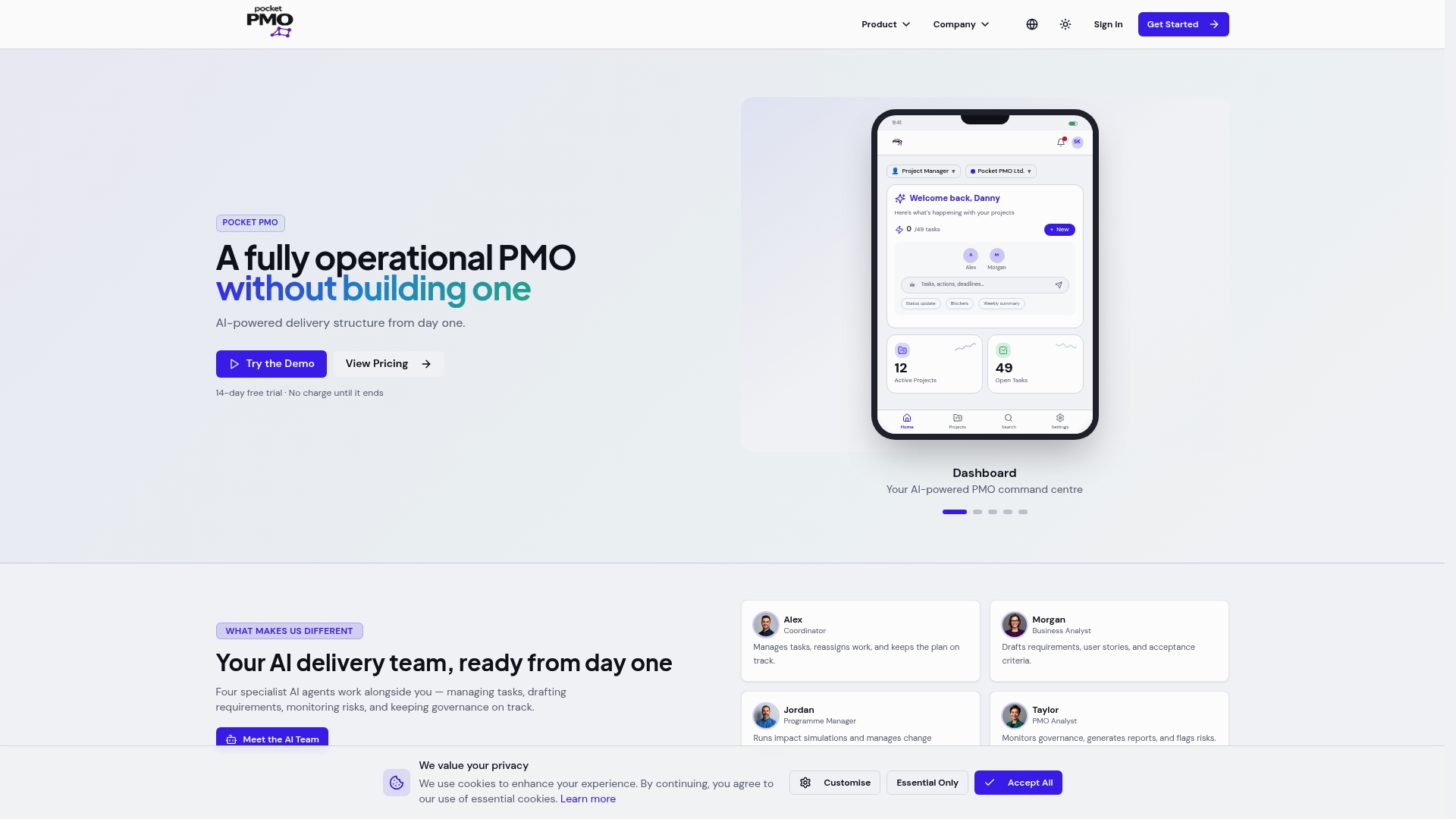
Explore how Pocketpmo transforms your workflow with real-time dashboards, AI-driven portfolio risk visibility, and seamless governance across projects. Don’t settle for generic automation when you can get tailored project insights and reduce reporting headaches. Visit Pocketpmo Home and start generating AI-powered project health reports and stakeholder snapshots that put you in control of every phase of delivery.
Frequently Asked Questions
What is the primary benefit of using Pocket PMO for project management?
Pocket PMO offers AI-powered project management tools that draft updates, RAID entries, and stakeholder reports for approval. This feature allows teams to reduce administrative overhead while retaining control over final outputs, giving project managers more time for decision-making. To get started, consider trying the 15-day free trial offered by Pocket PMO.
How does Pocket PMO compare to Make in terms of automation capabilities?
Make is a visual-first automation platform that provides excellent real-time integration capabilities, which is beneficial for teams that need to connect complex systems rapidly. In contrast, Pocket PMO excels in project governance and reporting, making it particularly suited for project managers and PMOs. Depending on your specific needs, you may find Pocket PMO to be the better fit for enhancing project workflows with draft updates and predictive insights.
Which platform is more suited for construction teams, Pocket PMO or n8n.io?
Pocket PMO includes built-in construction modes that support RFIs and snagging workflows, making it highly relevant for construction teams. On the other hand, n8n.io is designed for technical teams looking for custom integrations and scalable automation. For construction workflows, Pocket PMO may offer a more tailored experience with its specific features.
Can I expect significant time savings using Pocket PMO for stakeholder reporting?
Yes, using Pocket PMO can drastically reduce the time required for preparing weekly project health reports by automating draft generation and approval processes. This allows project managers to address issues earlier in the delivery cycle, leading to improved project outcomes. If efficiency in reporting is a priority, consider using Pocket PMO's features to streamline your workflows.
How does the pricing of Pocket PMO compare to its competitors?
Pocket PMO offers plans starting at £30 per month for individual users and £120 per month for teams, making it a cost-effective solution for organisations without extensive budgets. This pricing approach allows teams to utilise advanced project management features without the need for significant investment, particularly compared to more expensive alternatives.